





シリーズ全体を読む
この記事は、Quilterの物理法則に基づくレイアウト自動化を使い、NXP i.MX 8M Mini搭載コンピューターを再現した過程を詳しく紹介するシリーズの一部です。
要約: 2026年、ハードウェアチームが最も多く検討している自律型PCB設計ツールはQuilter、DeepPCB、Flux.aiの3つです。Quilterは物理検証済みの複数候補レイアウトを生成し、ITAR案件向けにネットワーク分離したオンプレミス導入に対応し、843部品・8層の設計を完全に検証済みの形で仕上げた実績があります(Project Speedrun)。DeepPCBは、定められた複雑度の範囲内で幾何的な配線に強化学習を適用します。Flux.aiはブラウザベースの設計環境で、低~中程度の複雑度の基板向けにAI Auto-Layoutを備えています。
ハードウェアチームがPCB設計にAIを検討するとき、繰り返し挙がる名前が3つあります。Quilter、DeepPCB、Flux.aiです。
これらのツールは、異なる利用者に向けて、異なる複雑度の基板で、異なる課題を解きます。本稿では、各ツールが何をするのか、レイアウト自動化にどう取り組んでいるのか、そしてそれぞれがどこで最も強いのかを整理します。実務的な答えを必要としている上級ハードウェアエンジニア、PCB設計者、研究開発の責任者に向けた記事です。
私たちはQuilterで働いているので、偏りがあると思われるのはもっともです。ただ、複数のチームがこの課題に取り組んでいること自体は歓迎していますし、DeepPCBとFluxについてはできる限り公平かつ正確に記述するよう努めます。事実と異なる記述があればお知らせください。訂正します。
自律型PCB設計とは何か
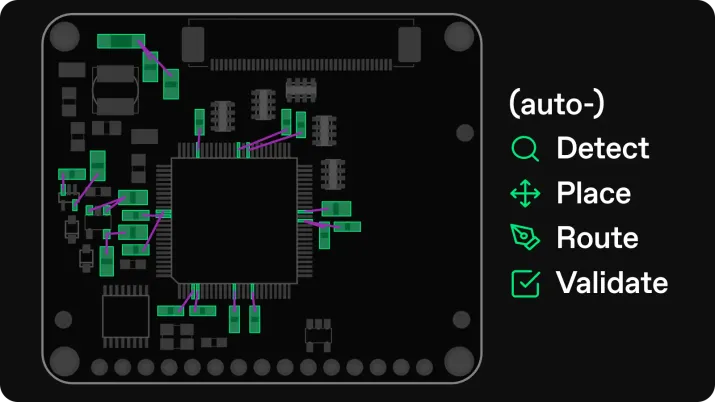
自律型PCB設計とは、AIやその他の手法を用いて、部品配置と配線を含むプリント基板のレイアウトを、人の介入を最小限にして生成することです。
とはいえ「自律」という言葉は業界で幅広く使われており、従来型のオートルーターから、配置を提案するAIアシスタント、基板一枚を丸ごと作れる完全自動のエージェントまで、何にでも当てはめられています。
従来型のオートルーターは、基板がほぼ設計し終わった段階でネットをつなぎます。役に立つ場面もありますが、出来のよくない結果を出すことで悪名高くもあります。
AIコパイロットは、部品の提案、回路の断片の生成、配置案の提示、制約の説明など、ワークフローの一部を助けます。統合作業と反復の大半は、依然として人がやることになります。
自律型レイアウトエンジンは、制約と製造ルールに基づいて、基板全体の完成したレイアウト候補を生成します。ここでの自律とは「ネットを何本か配線した」ではなく、「レビューし、手直しし、製造に出せる基板全体の選択肢を複数出した」という意味です。
2026年にチームが自律型PCBレイアウトツールを探している理由
ハードウェアチームは、より多くの派生機種を、より速く出荷するよう求められています。しかも案件あたりに使える熟練PCB設計者は減っています。私たちはその課題を、3つの圧力に整理しました。
第一の圧力は日程リスクです。立ち上げ用基板、DVTビルド、検証用ハードウェアは、多くの場合クリティカルパス上にあります。レイアウトが遅れれば、すべてが遅れます。調達、実装枠、ラボの時間、ファームウェアの統合、そして次の設計サイクルです。レイアウトでの1週間の遅れは、試験枠と製造の待ち行列が動いた結果、下流で数週間の遅れになりえます。
第二の圧力は人的リソースです。上級のPCB設計者やハードウェアの責任者は、最もリスクの高いネット、最も難しい配置の判断、そして最終の設計レビューに時間を使うべきです。ところが実際には、定型的な配線作業に埋もれています。チームの他の誰にもできず、任せられると信頼できるツールもないからです。
第三の圧力は反復の経済性です。レイアウトのサイクルが速くなれば、より多くの実験を回し、より多くの仮説を検証し、不確かな点を早い段階で減らせます。正しく行われたPCBレイアウト自動化の核心にある約束がこれです。単位時間あたりの学習ループを増やすこと。Quilterではこれをハードウェアリッチ開発と呼んでいます。技術的な厳密さを犠牲にすることなく、ソフトウェアのような反復を支えられるだけ基板が潤沢になる状態のことです。
Quilter、DeepPCB、Flux.ai:この3つは実際のところ何なのか
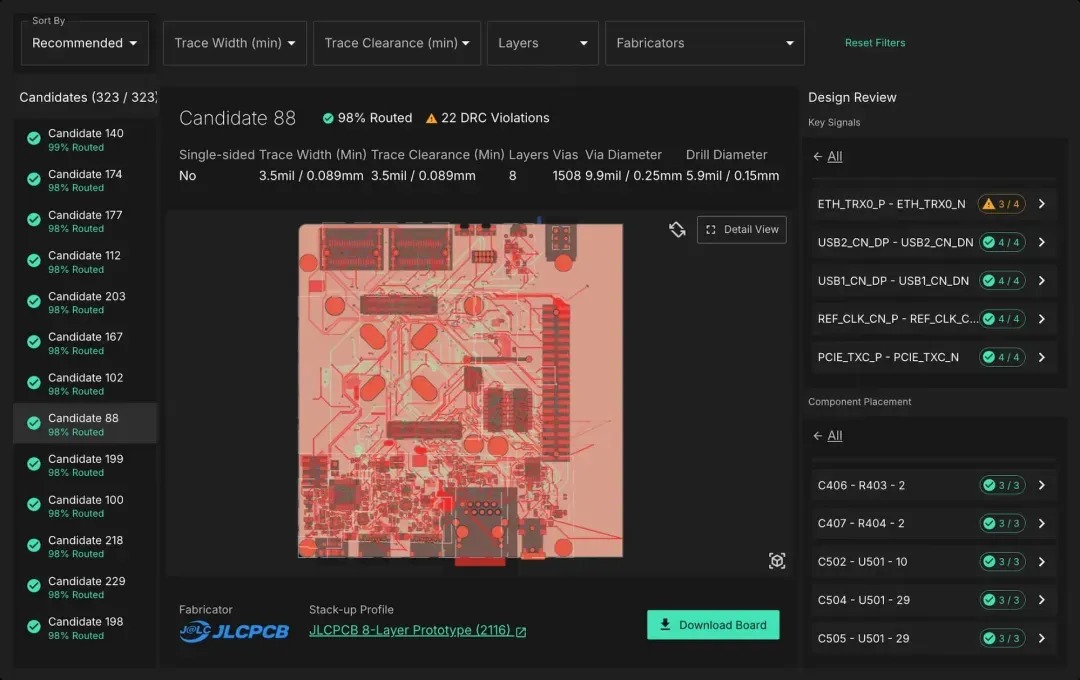
Quilterは、物理駆動型の強化学習を使ってPCBの配置と配線を自動化します。Altium、Cadence、Siemens、KiCadで完成させた回路図と基板ファイルをアップロードします。Quilterは回路図を読むため、PCBファイルだけでは表現できない回路上の関係を理解します。Quilterは複数のレイアウト候補を並列に生成するので、トレードオフを比べられます。ハイブリッドなワークフローにも対応します。重要な20%(高速バス、敏感なアナログ、電源供給)を自分で配置・事前配線し、残りの80%をQuilterに任せられます。各候補には物理スコアカードが付いてきて、何を検査し、その候補がどれだけ良かったのかが正確に分かります。
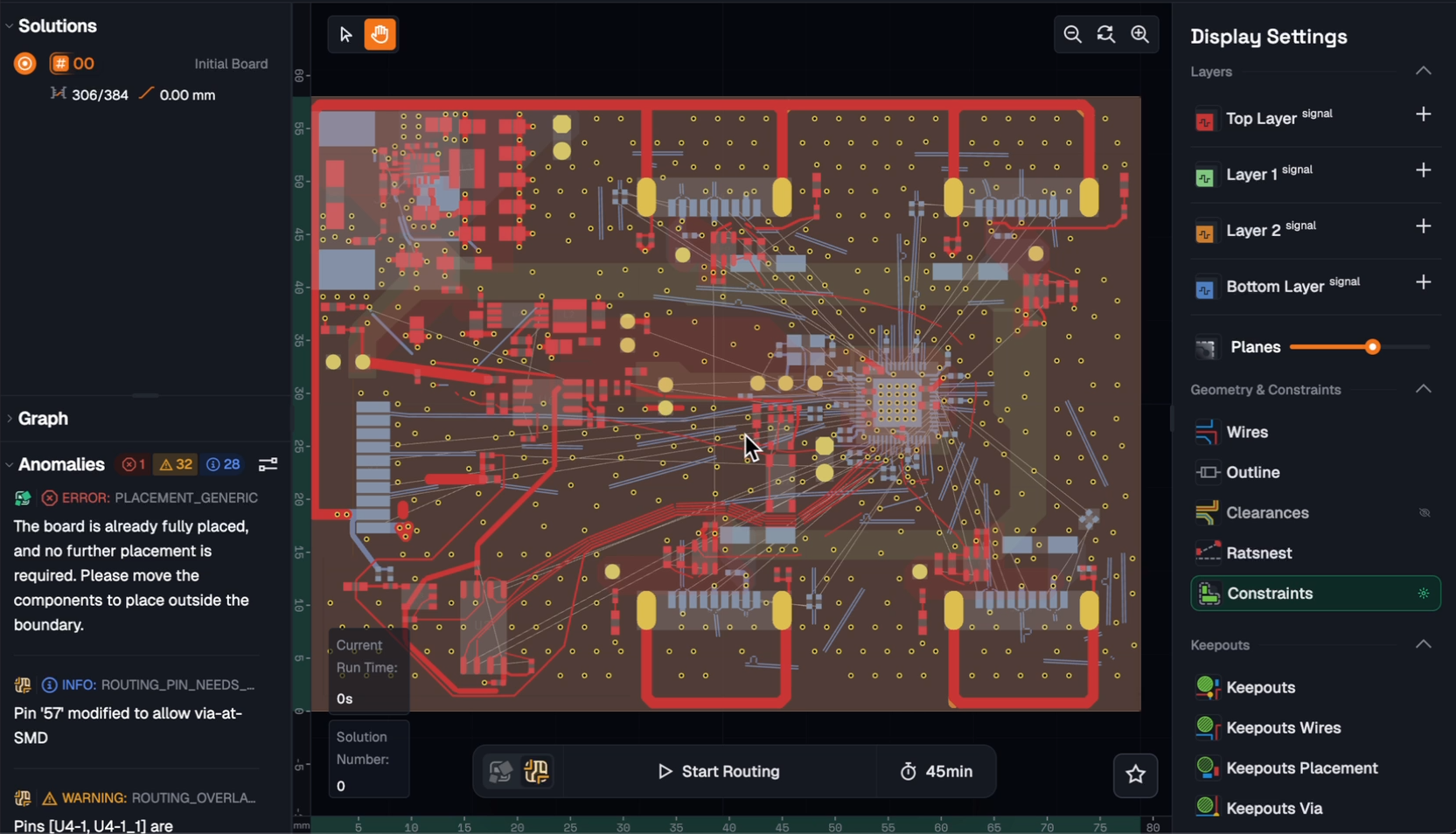
DeepPCBは、InstaDeepが開発した配置・配線エンジンです(同社は2023年に製薬会社のBioNTechに買収されました)。こちらも強化学習を使い、独自のC++シミュレーションエンジンの中で自己対戦の反復を通じて学習しています。DeepPCBはZukenとKiCadのファイルにネイティブ対応し、Altium、EasyEDA、Eagle、Proteusからのインポートに対応します。配置と配線の両方を扱います。設計ファイルをアップロードし、割り当てた時間予算の中でAIが継続的に最適化を行い、到達した最良の結果をダウンロードします。計算時間が長いほど、一般には良い結果になります。Quilterの並列候補生成(複数の異なるレイアウトが返ってきて比較できる)とは異なり、DeepPCBは単一の最適化を走らせ、時間枠の終わりに最良の解を返します。
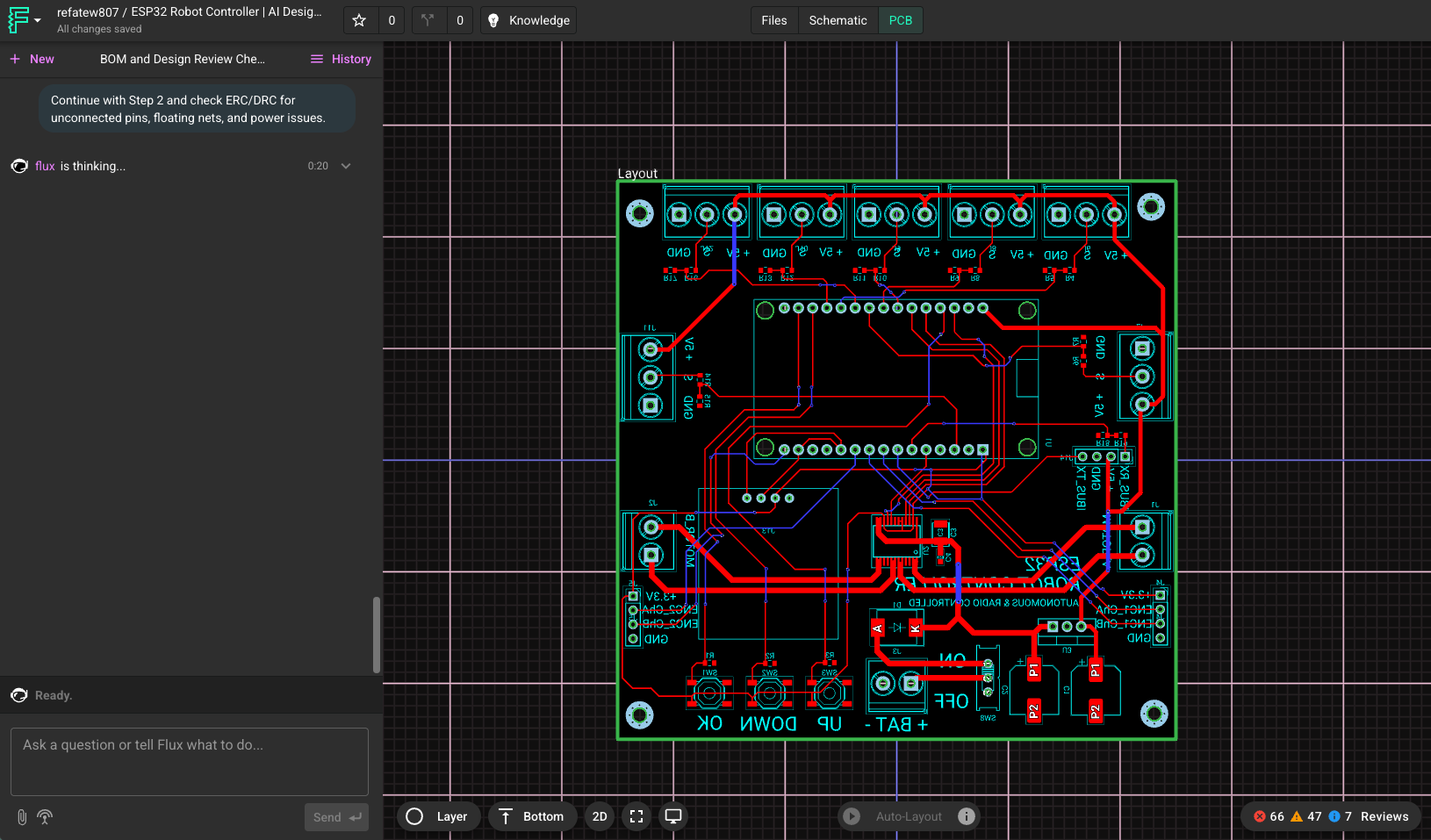
Flux.aiは、AIがワークフローの内側でコパイロットとして働く、ブラウザベースのPCB設計環境です。QuilterやDeepPCBよりも設計チェーンの広い範囲を覆い、回路図入力、部品選定、レイアウトを含みます。FluxのAI Auto-Layout機能はワンクリックのルーターで、制約を設定し、部品を配置し、狭ピッチ部品のファンアウトを済ませ、差動ペアやインピーダンス制御線、高速インターフェースといった重要信号を手で配線したあとに、残りの配線を仕上げます。主な価値は、アイデアから基板まで単一のブラウザツールで進めたいチームにとっての手軽さと速さです。
Quilter、DeepPCB、Flux.aiの主な違い
この3つの最も重要な違いは「どのAIが賢いか」ではありません。QuilterもDeepPCBも強化学習を使っています。実務で効いてくる違いは、各ツールがどの複雑度まで扱えると実証しているか、生成の最中と後にどんな物理検証が行われるか、そして企業の設計ワークフローにどれだけ収まるか、です。
物理検証
Quilterは、幾何的なデザインルールだけでなく、回路レベルの物理検査に照らしてレイアウトを検証します。物理スコアカードは、バイパスコンデンサの実効性(ピン間距離、ループ内ビアの検出、配線長)、スイッチングコンバータのレイアウト品質(コイルの近接、入出力コンデンサの配置)、差動ペアの健全性(位相の不一致、結合ギャップ、グラウンドプレーンの連続性)、電源ネットの電流容量(目標電流に対するIPC由来の配線幅)、水晶発振子の配置を検査します。これらの検査は回路図の文脈から導かれます。Quilterは、どのコンデンサがどのICをバイパスしているのか、どのコイルがどのスイッチングコンバータに属するのか、各ネットが回路の中でどんな役割を担っているのかを把握しています。
この土台の上に、Quilterは最近Simbeorフィールドソルバーを統合しました。Altiumのインピーダンス計算の裏にあるものと同じエンジンで、インピーダンスプロファイルをリアルタイムに計算します。その結果、信号品質、電源品質、製造上の制約を一度のレビューで見渡せる物理スコアカードが得られます。
DeepPCBはAIを前面に置く方針です。強化学習エージェントが配線制約を読み込み、それに対して最適化します。その制約の範囲内であれば、まずまずの基板を作れます。ただし、制約の集合がツールの検出能力の上限を決めます。DeepPCBが公に文書化している検査はすべて幾何的なデザインルールチェックです。クリアランス、配線幅、ビア数などです。バイパスコンデンサのループ解析、スイッチングコンバータのレイアウト検証、差動ペア下のグラウンドプレーン連続性といった、回路を理解した検査は行いません。
FluxのAuto-Layoutは、きれいな配線形状を目指して最適化します。ビアを減らし、経路を短くし、層の移り変わりを減らすことです。物理スコアカードは出しません。Fluxは、Auto-Layoutを走らせる前に差動ペア、インピーダンス制御線、高速インターフェースを手で配線するよう明示的に案内しています。つまり基板のうち物理的に敏感な部分は、引き続きエンジニアの責任範囲です。
実証された複雑度
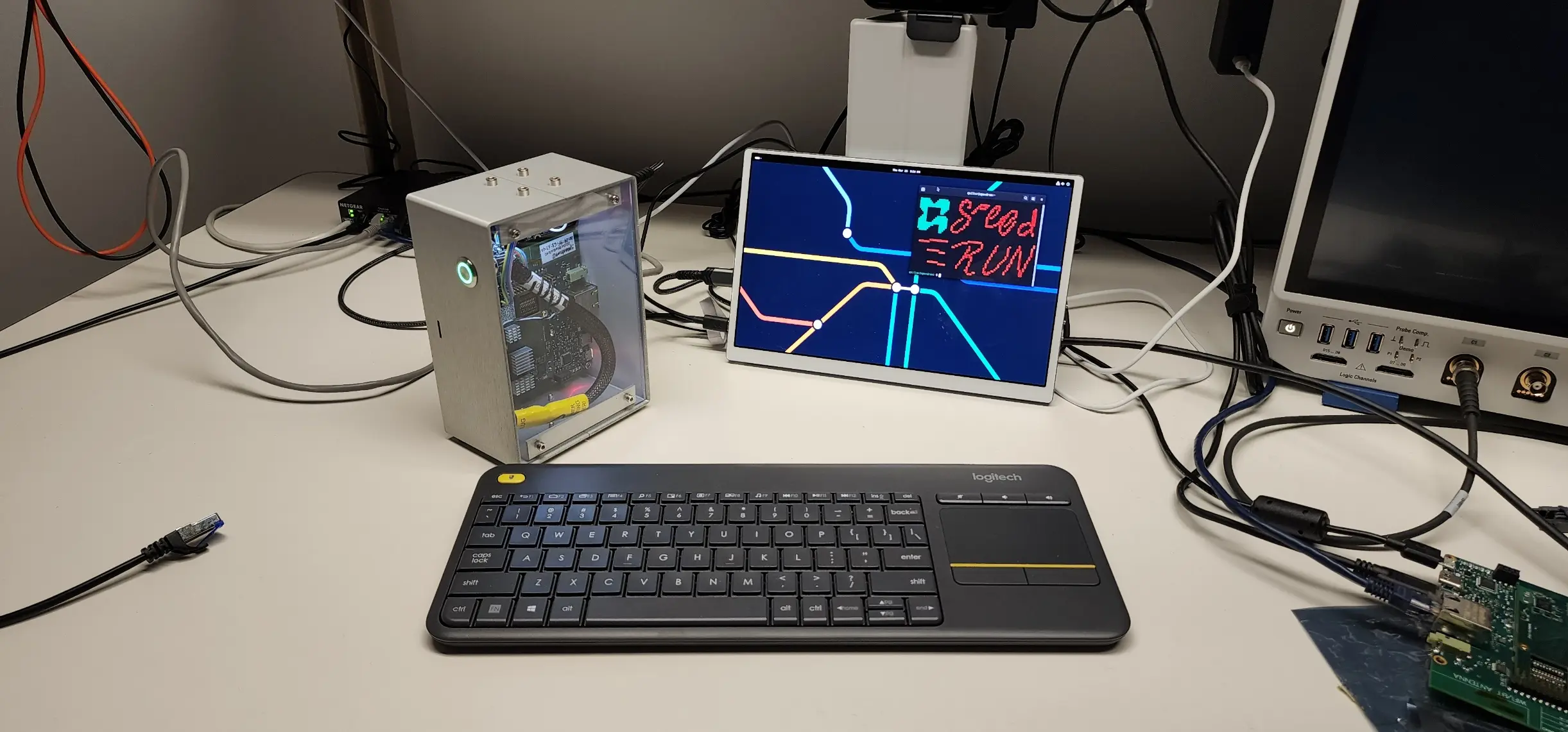
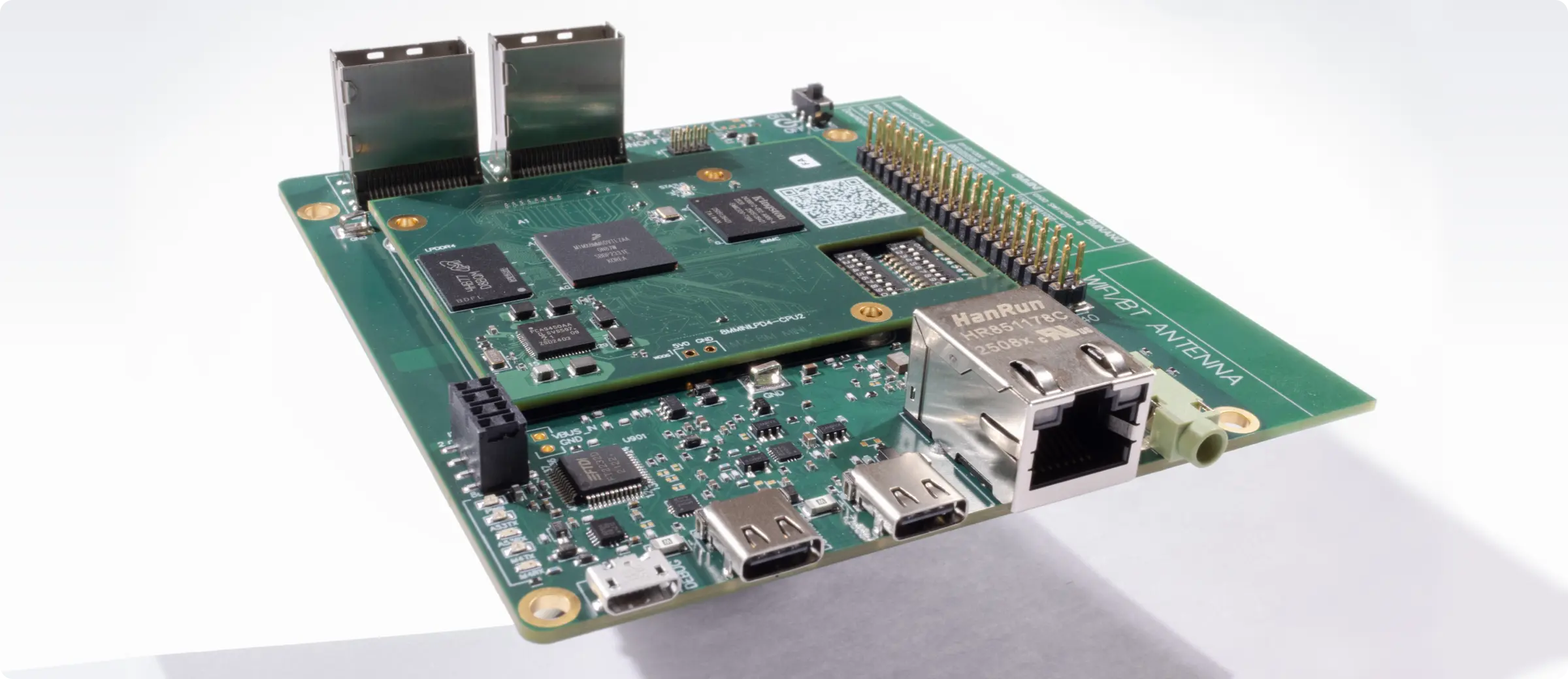
Quilterはi.MX 8M Miniコンピュータを丸ごとレイアウトしました。843部品、5,141ピン、8層構成です。2枚の基板はいずれも再試作なしで完全に検証され、DDR4メモリ、ギガビットイーサネット、USB、HDMI、ハードウェアアクセラレーションされたグラフィックスを、Chrome、動画再生、ゲームアプリケーションを含む実際の負荷のもとで動作させました。専門家が428時間と見積もったレイアウト作業は、38.5時間の人手による仕上げにまで減りました。Quilterにピン数や層数の本質的な上限はなく、Speedrunの基準を超える基板も処理しています。
DeepPCBの公開ティアは、最大1,000部品、2,200ピン、1,200エアワイヤ、8層に対応します(同社の公開価格ページによる)。これは公開情報の範囲で確認できた内容です。エンタープライズティアもあり、そちらではより多くの機能が提供されている可能性があります。
Fluxが公開しているAuto-Layoutの事例は、2層および4層で40~100部品の規模の基板であり、目玉はESP32ベースのスマート体重計です。Flux自身の文書は、この機能が「あらゆる種類の基板を、利用者の手を借りずに完全自動配線するようには設計されていない」と述べています。それを超える複雑度の基板では、Fluxは自律型レイアウトエンジンというより、AIコパイロットの支援を受けながら人がレイアウト作業を行う設計環境として機能します。
企業導入とセキュリティ
Quilterは、Kubernetes Helmチャートを用いた自社環境(AWS)へのセルフホスト導入に対応しており、ネットワーク分離構成やGovCloud構成も含みます。QuilterはITAR準拠、データ主権、完全オフライン運用を求める防衛関連の主契約企業や企業顧客と、実稼働中のオンプレミス導入を行っています。導入、立ち上げ、継続的な設計反復について、専任のエンジニアリング支援も提供します。
DeepPCBとFlux.aiは、クラウド上でブラウザから使うツールです。設計データが自社インフラの外に出てはならない組織や、基板が輸出管理の対象になる場合、導入形態は評価の早い段階で答えを出しておきたい前提条件になります。
価格の比較:Quilter、DeepPCB、Flux.ai
価格モデルはツールによって大きく異なります。自分たちに合うかどうかは、表示価格よりも、使い方、反復のしかた、導入要件に応じてコストがどう伸びるかで決まります。
Quilter:完了した仕事に対して支払う
Quilterは、席数でも計算時間でもサブスクリプションでもなく、アップロード時点の未配線ピン数に基づいて基板ごとに課金します。提出前に重要な部分(RFネット、BGAのファンアウト、高電圧配線)を事前配線しておけば、それらのピンは数に入りません。Quilterは既存の配線を避けて配線し、実際に処理したピンの分だけ課金します。
向いているチーム:基板あたりのコストを見通したい、1つの設計で何度も反復する、席数の負担なく大きなエンジニアリングチームでツールを共有したい。
DeepPCB:従量制のAIクレジット
DeepPCBはクレジット制で、結果の品質にかかわらず計算時間に対して支払います。実行に時間予算を割り当て、その枠内でエンジンが最適化し、到達した最良の結果をダウンロードします。出力が求めるものでなければ、追加の計算時間に対して再び支払うことになります。
向いているチーム:公開ティアの制限内に収まる小さめの基板を扱う、評価の初期費用を抑えたい、試行ごとに課金される仕組みを受け入れられる。
Flux.ai:席数課金のサブスクリプション
Flux.aiは席数課金のサブスクリプションで、月々のAIクレジットが料金に含まれます。AI Auto-Layoutの実行は基板の複雑度に応じてクレジットを消費します。Fluxが公開している目安では、単純な4層・40部品の基板でおよそ375クレジット、2層・100部品の基板で1,250クレジットです。含まれるクレジットを超えた分は超過分として請求されます。Fluxは完結した設計環境(回路図+レイアウト+共同作業)なので、席数課金は、レイアウト自動化の単機能ツールとしてではなく、主たるECADツールとして使うチームに合います。
向いているチーム:Fluxを日常の設計環境として使う、2層から4層で部品点数が中程度の基板を扱う、席単位のライセンスに見合う共同作業機能を重視する。
AI PCB設計ツールの横並び比較
各ツールが公開している機能と文書に基づく、機能レベルの比較です。
| 機能 | Quilter | DeepPCB | Flux.ai |
|---|---|---|---|
| バイパスコンデンサ配置の検証(ピン間距離、ループ内ビア、配線長) | 対応 | 非対応 | 非対応 |
| スイッチングコンバータのレイアウト検査 | 対応 | 非対応 | 非対応 |
| 差動ペアの健全性(位相、結合、グラウンドプレーンの連続性) | 対応 | 差動ペア対応(幾何的) | 非対応(手動配線を推奨) |
| 電源ネットの電流容量(IPC由来) | 対応 | 非対応 | 非対応 |
| インピーダンス用のフィールドソルバー統合(Simbeor) | 対応 | 非対応 | 非対応 |
| 候補ごとの物理スコアカード | 対応 | 非対応 | 非対応 |
| 電源ポアの生成 | 対応 | 非対応 | 非対応 |
| グラウンドプレーン分割への対応 | 対応 | 非対応 | 非対応 |
| 複数候補の並列生成 | 対応 | 非対応(単一の継続的最適化) | 非対応 |
| ハイブリッドなワークフロー(ECADで事前配線し、残りを提出) | 対応(Altium、Cadence、Siemens、KiCadとネイティブに往復) | 限定的(ブラウザ内エディタでの保護/ロック) | 対応(重要信号を手動配線し、Auto-Layoutが仕上げる) |
| 自律レイアウトの範囲 | 配置+配線+回路レベルの物理+電源分配のすべて | 配置+配線+幾何的DRC | 配置の最適化+配線(利用者が初期配置と重要信号の配線を行ったあと) |
| 公開されている複雑度の範囲 | 843部品/5,141ピン/8層(Speedrun)。本質的な上限なし | 最大1,000部品/2,200ピン/8層(公開ティア) | 40~100部品/2~4層(公開事例) |
| セルフホスト/ネットワーク分離での導入 | 対応 | 非対応 | 非対応 |
| ECAD連携 | Altium、Cadence、Siemens、KiCad(ネイティブ入出力) | Zuken、KiCad(ネイティブ)。Altium、EasyEDA、Eagle、Proteus(インポート) | 独自のブラウザ環境と標準形式へのエクスポート |
| 価格モデル | 基板ごと(未配線ピン数に基づく) | 従量制のAIクレジット(計算時間) | 席数課金のサブスクリプション(AIクレジット込み) |
どのAI PCBツールを選ぶべきか
複雑な基板のレイアウト時間を、技術的な厳密さを犠牲にせずに削ることが第一の目的なら、Quilterを選んでください。流れはこうです。使い慣れたECADで基板を準備し、Quilterに提出し、複数の候補を受け取り、物理スコアカードを確認し、ダウンロードし、気に入らない部分を消し、変更を加え、満足する結果が出るまでQuilterに再提出する。多くのチームは1枚の基板で2~5回の反復を行います。Quilterが出した結果に満足したら、最終の仕上げはお使いのECADで行えます。
Quilterを際立たせているのは、出力に含まれる物理検証の深さです。返ってくるのは、配線が収まりDRCを通るかどうかだけでなく、その基板が実際にどう動くのかを反映したレイアウトです。
組織としてセルフホスト導入が必要なら、この3つの中でQuilterが唯一の選択肢です。
公開されている複雑度の範囲内で、速い配置と配線がほしいならDeepPCBを選んでください。DeepPCBは有能なエンジンで、公開ティアは最大1,000部品、2,200ピン、1,200エアワイヤ、8層に対応します。基板がその範囲に収まり、制約の自動抽出と短い納期を重視するなら、評価する価値があります。分単位のクレジット制は、小さめの基板なら初期費用を低く抑えられます。
DeepPCBを手がけるInstaDeepは、強化学習において確かな実績があります。査読付きの研究が公表されており、生物配列モデリングとゲノミクスに焦点を当てたものです。同社がこの分野で卓越していたからこそ、製薬会社のBioNTechに買収されました。DeepPCBの製品ロードマップについて憶測はしたくありませんが、以上の事実を踏まえると、PCBレイアウトエンジンのさらなる開発がInstaDeepにとって高い優先度にあるようには見えません。
設計チェーン全体を一か所にまとめたく、基板が低~中程度の複雑度ならFlux.aiを選んでください。MVPを作るスタートアップ、専用のECADライセンスを持たないチーム、制約の重いレイアウト性能よりも素早い反復と共同作業を重視する製品チームであれば、Fluxは摩擦を大きく減らせます。私たちの営業チームも、レイアウト自動化よりも設計そのものの作成が必要な見込み客には、実際にこのツールを勧めています。
自律配線のベンチマークをどう読むか
自律配線のベンチマークの多くは、ひとつのことしか測っていません。配線が完了したか、そして結果がDRCを通ったか、です。配線の速さの目安としては妥当ですが、肝心の問いには答えていません。その基板は本当に動くのか、という問いです。
100%配線され、DRCもきれいな基板が、それでも立ち上げで失敗することはあります。分割されたプレーンをまたぐリターンパス、デカップリングが足りない電源供給網、実際にはインピーダンス制御されていない「インピーダンス制御」配線。どれもDRCには違反せず、配線完了率のベンチマークにも表れません。
私たちのものを含め、どのベンダーの自律配線ベンチマークを読むときも、3つの問いを立ててください。
- ここでの「勝ち」とは何か。配線完了率とDRC通過率は入門レベルの指標です。本当に効く基準は、実在の製造業者の層構成とDFMルールに対する電気的性能と製造容易性です。それを報告していないベンチマークは、問題の簡単な半分しか測っていません。
- 実際に何が検証されたのか。配線完了率、配線所要時間、DRC通過率を報告するベンチマークは、ソフトウェアの挙動を報告しています。信号品質のマージン、電源品質の結果、EMI特性を報告するベンチマークは、基板の挙動を報告しています。両者は別の主張であり、ハードウェアが動くかどうかについて何かを語るのは後者だけです。
- 製造後の結果はどこにあるのか。ベンチマークは成功の模擬です。本当の試験は製造に出すことです。ベンダーが配線の指標は公表しても、初回歩留まりのデータも、顧客の立ち上げ結果も、出荷中の量産設計も示さないなら、そのベンチマークが語っているのは基板が動くかどうかではなく、ソフトウェアが処理を終えるかどうかだけです。
Quilterが後者の指標に対して最適化しているのは、それが基板を出荷できるかどうかを決めるからです。この分野のすべてのベンダーに、同じことを勧めます。
AI PCBレイアウトツールをどう評価するか
マーケティングの比較(本稿も含めて)は飛ばして、自分たちの基板で試してください。
- すでによく知っている基板を選ぶ。検証用基板、テスト治具など、良い結果がどういうものか分かっているものです。良い意味で驚かされるレイアウトが出てきたら、注目に値します。全部やり直す必要があるものが出てきたなら、それもまた情報です。
- 配線完了率ではなく、制約の遵守を見る。100%配線されていても、インピーダンスのルール、差動ペアの整合、クリアランスの優先順位を無視した基板は、時間の節約になりません。
- AIの実行時間だけでなく、全工程を測る。準備、アップロード、レビュー、仕上げの時間を含めてください。QuilterのProject Speedrunの数字はそのすべてを含んでいます。手作業での見積もり428時間に対して、人手は38.5時間です。それが誠実な比較です。
- 知的財産と導入形態について尋ねる。航空宇宙、防衛、その他輸出管理やデータの機微が関わる環境にいるなら、データがどこへ行くのかを知る必要があります。
まとめ
PCBレイアウトの自動化は、業界が60年以上にわたって解こうとしてきた課題です。複数の真剣なチームが取り組んでいるということは、この課題がようやく相応の注目を集めているということであり、私たちはそれを素晴らしいことだと考えています。
とはいえ、これらのツールは課題の解き方について異なる賭けをしています。Flux.aiは広さと手軽さに賭け、回路図入力から配線まで設計チェーンのすべての段階にAIを持ち込み、単純な基板ではAuto-Layoutが仕上げを担います。DeepPCBはAIを前面に置く方針に賭け、配線制約に対して強化学習で最適化します。Quilterは、量産品質でレイアウトを自動化する唯一の道は、物理から推論し、すべての配線を実際の回路レベルの制約に照らして検証し、電源分配を一級の課題として扱い、重要な判断のすべてをエンジニアの手に残すことだ、という賭けをしています。
チームがレイアウトに何週間も失っているためにこの比較を読んでいるのなら、答えを得る最短の道は、実際の基板をアップロードして走らせてみることです。
よくあるご質問
自律型PCB設計とは何ですか。
自律型PCB設計ツールは、部品配置と配線を含むプリント基板のレイアウトを、人の介入を最小限にして生成します。ネットをつなぐだけの従来型オートルーターとは異なり、自律型エンジンは物理ルールと製造制約に照らして検証された、基板全体の候補を作ります。
QuilterとDeepPCBの違いは何ですか。
QuilterもDeepPCBもPCBの配置と配線に強化学習を使いますが、いくつかの重要な点で異なります。
第一に、Quilterは回路レベルの物理検査に照らして検証します。バイパスコンデンサ配置の検証(ピン間距離、ループ内ビア、配線長)、スイッチングコンバータのレイアウト、グラウンドプレーンの連続性を含む差動ペアの健全性、電源ネットの電流容量、そして統合されたSimbeorフィールドソルバーによるインピーダンスプロファイルです。DeepPCBが公に文書化している検査は幾何的なデザインルールチェックです。
第二に、Quilterは比較と探索のために複数の候補を並列に生成しますが、DeepPCBは単一の継続的な最適化を走らせ、その最良の結果を返します。
第三に、Quilterは企業や防衛分野の顧客向けにセルフホスト導入(ネットワーク分離、GovCloud)を提供しますが、DeepPCBはブラウザベースのクラウドツールです。
第四に、Quilterはより高い複雑度を公に実証しています。Project Speedrunは843部品、5,141ピン、8層で、製造され実際の負荷のもとで完全に検証されました。DeepPCBが公表している上限は、最大1,000部品、2,200ピン、1,200エアワイヤ、8層です。
Flux.aiは複雑なPCBレイアウトに向いていますか。
Flux.aiはブラウザで完結する設計環境で、AI Auto-Layout機能は低~中程度の複雑度の基板、典型的には2層および4層で40~100部品の設計によく効きます。Fluxは、Auto-Layoutが「あらゆる種類の基板を、利用者の手を借りずに完全自動配線するようには設計されていない」と率直に述べています。推奨される流れは、重要信号(差動ペア、インピーダンス制御、高速インターフェース)を手で配線し、残りの配線をAuto-Layoutに仕上げさせることです。それを超える複雑度の基板には、QuilterやDeepPCBのような専用の自律型レイアウトエンジンのほうが適しています。Fluxの強みは、回路図からレイアウトまでの設計チェーン全体を、共同作業できる単一のブラウザツールで覆っている点です。
PCB配線で強化学習はどのように働くのですか。
強化学習は、デザインルールを満たす結果に報酬を与え、違反には罰を与えることで、AIエージェントに逐次的な判断を学ばせます。何百万もの模擬基板を通じて、エージェントは新しい設計にも通用する戦略を学びます。強化学習を使うPCBツールの本質的な違いは、エージェントが何に対して報酬を受けているのか、そして生成後に何が検査されるのかです。Quilterの強化学習は回路レベルの物理に根ざしています。エージェントは回路図の文脈から導かれた制約(バイパスコンデンサの対応関係、スイッチングコンバータの構成、差動ペアの関係)に導かれ、すべての候補は、フィールドソルバーに基づくインピーダンス検査を含む物理スコアカードで採点されます。DeepPCBの強化学習は、同社の汎用的な強化学習の知見を、PCB設計領域における幾何的な配線制約の最適化に適用したものです。
ITAR、FedRAMP、ネットワーク分離導入に対応しているAI PCBツールはどれですか。
この3つの中で、ITAR、FedRAMP、防衛環境に適したセルフホスト導入を提供しているのはQuilterだけです。QuilterはSOC 2 Type IIに準拠しており、Kubernetes Helmチャートで自社のAWS環境や完全オフラインのインフラに導入できます。Quilterは防衛関連の主契約企業や企業顧客と実稼働中の導入実績があります。DeepPCBとFlux.aiはクラウド専用のブラウザベースのツールです。
自律型PCBツールは人間のPCB設計者に取って代わりますか。
いいえ。自律型レイアウトツールが置き換えるのは、レイアウト作業のうち定型的で時間のかかる部分であり、それによって上級の設計者は最もリスクの高い判断に集中できます。典型的な流れでは、エンジニアが重要な部分(高速バス、敏感なアナログ、電源供給)を事前に配置・配線し、残りの80%をAIに任せ、最後に仕上げを行います。レビュー、制約の定義、設計の承認は、引き続き人の責任です。
AI PCBレイアウトツールはどう評価すればよいですか。
すでによく知っている基板、つまり「良い」がどういうものか分かっている検証用基板やテスト治具で試してください。AIの実行時間だけでなく、全工程(準備、アップロード、レビュー、仕上げ)を測ってください。配線完了率ではなく制約の遵守を見てください。100%配線されていても、インピーダンスのルールや差動ペアの整合を無視した基板は時間の節約になりません。電源分配をツールが扱うのか、それともポアやプレーンを手で作り直すことになるのかを確認してください。そのツールが実際に何を物理として検査しているのかを尋ねてください。幾何的DRCは最低限であり、バイパスコンデンサ配置の検証、スイッチングコンバータのレイアウト検証、差動ペア下のグラウンドプレーン連続性といった回路を理解した検査こそが、レイアウト自動化と「少し良いオートルーター」を分けるものです。導入形態、知的財産の扱い、反復の経済性についても、契約前に尋ねてください。
自律型PCBツールはどのファイル形式に対応していますか。
Quilterは、Altium、Cadence AllegroおよびOrCAD、Siemens Xpedition、KiCadのネイティブファイルを読み書きします。DeepPCBはZukenとKiCadにネイティブ対応し、Altium、EasyEDA、Eagle、Proteusからインポートできます。Flux.aiは独自の設計データベースを持つ自己完結型のブラウザ環境で、標準形式へのエクスポートに対応しています。