変更履歴

Quilterはリリースごとに進化しています。このページでは、新機能、変更点、次に取り組んでいることを追跡します。

May 31, 2026

Copy link

In Progress
リリース済み

インピーダンスプロファイルの自動計算

Quilterは、基板のすべての層における差動ペアとシングルエンドのインピーダンス制御信号について、スタックアップの材料に基づきインピーダンスプロファイルを計算できるようになりました。任意の基板の任意のスタックアップをQuilterに渡せば、目標インピーダンスを達成するために必要なトレース幅とクリアランスでルーティングします。

計算には、業界標準のソルバーであるSimberian社のSimbeorを使用しています。Altiumでインピーダンス計算を利用したことがある方は、すでにこのソルバーを使用しています。スタックアップの材料特性が正しければ、インピーダンスプロファイルも正しく計算されます。

プロジェクト:設計による体系的なイテレーション

ジョブはプロジェクトに属するようになりました。プロジェクトは、一つの設計におけるすべてのイテレーション(異なる基板アウトライン、スタックアップ、フロアプラン)を一つの場所にまとめ、進捗を追跡し、残したところから作業を再開できます。

__wf_reserved_inherit

使い方:ホーム画面から新しいプロジェクトを作成し、最初のジョブをアップロードします。そこから、各アップロードが元のBOMの10%以内に収まっている限り、必要なだけジョブを追加できます。10%を超える変更は、新しいプロジェクトを開始します。

重要な理由:ほとんどのQuilterユーザーは、製造に進む前に設計を2〜4回イテレーションします。プロジェクトはこのワークフローを明示的にします:一つの設計、無制限のイテレーション、すべてを一つの場所に。この構造は、同じプロジェクト内の後続イテレーションにおけるソルブ時間の高速化の基盤も構築します。

以前に提出されたジョブは、引き続きジョブ一覧からアクセスできます。今後、すべての新規ジョブにプロジェクトが必要となります。

セットアップの詳細についてはプロジェクトドキュメントをご覧ください。

進行中

クリアランス制約、BGAファンアウト

これらの機能は、Quilterが処理できる範囲を大幅に拡張します。それぞれ現在開発中で、段階的にリリースされます。

アップロードされたファイルからの制約

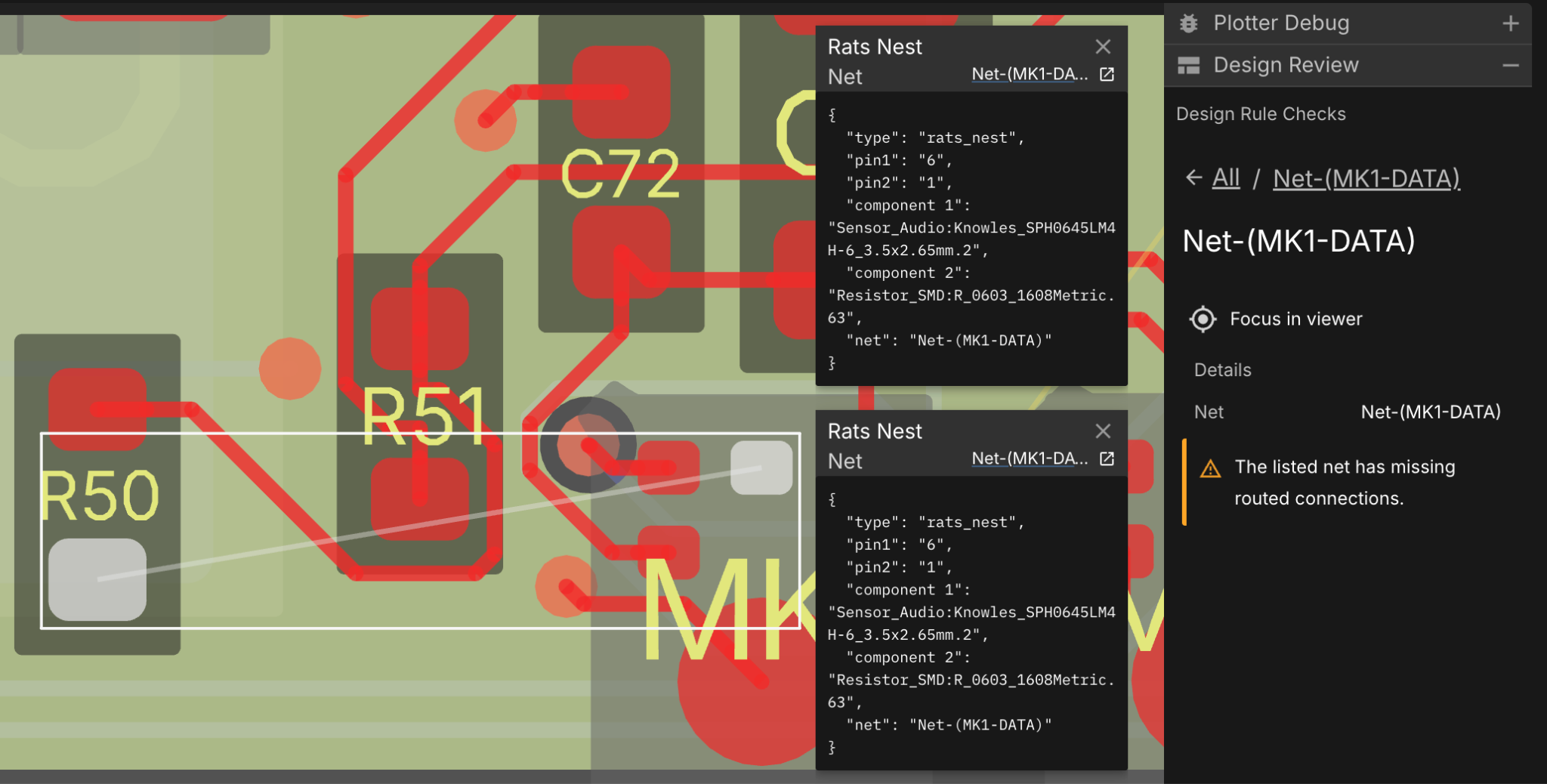
クリアランス制約プロジェクトでは、ECADツールの制約マネージャーに設定できるほぼすべての項目を読み取り、それを遵守します:ビアとネット間、特定ネット間、層ごとのクリアランスを、意図した詳細レベルでサポートします。これは、より強力なDRCチェックと高精度な出力の基盤となります。

BGAファンアウトの自動化

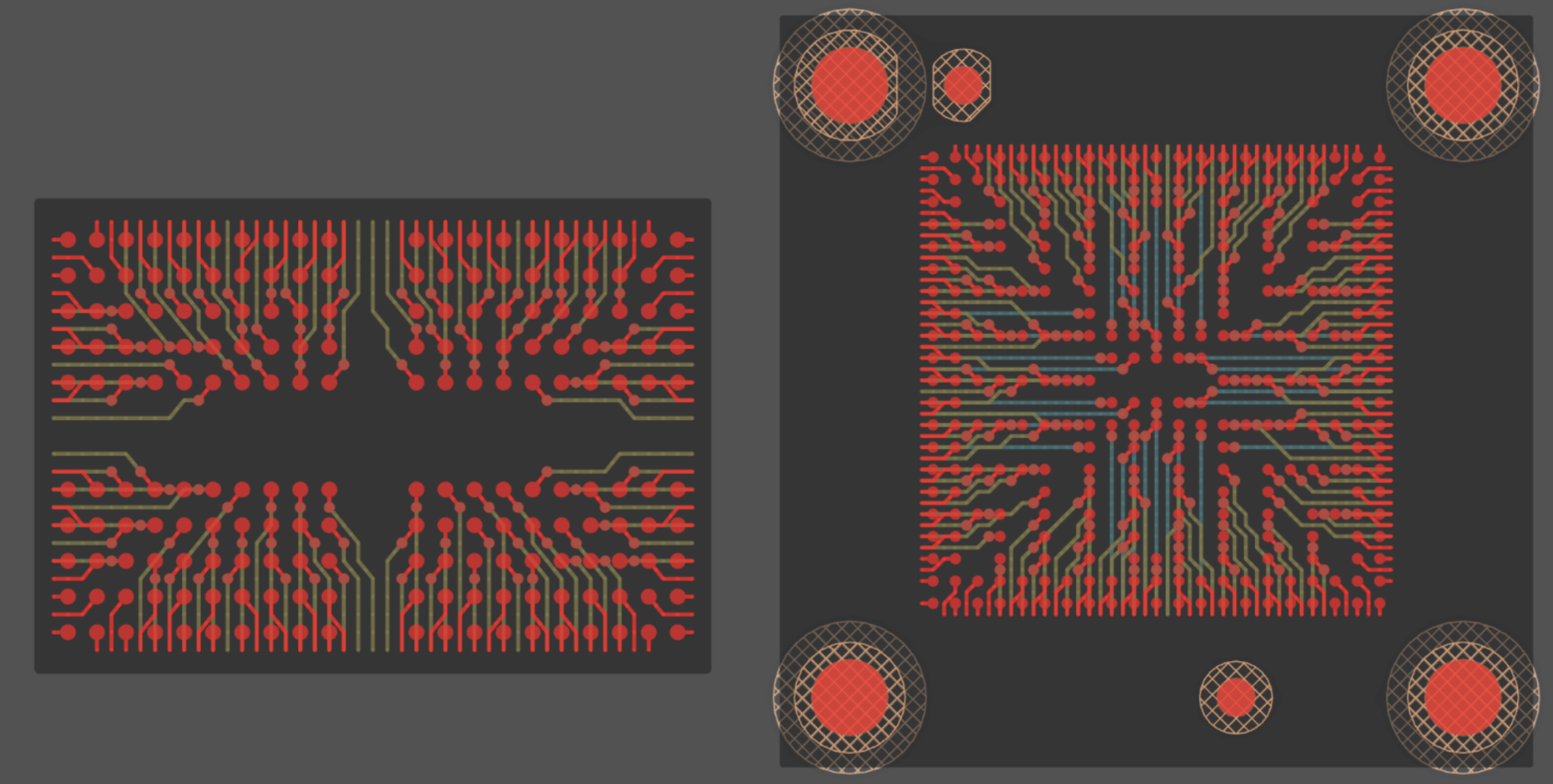
BGAのファンアウト自動生成は、この春にリリース予定です。Quilterは、高密度コネクタを含む多くのフォームファクタでファンアウトとブレイクアウトの両方を生成します。これにより、これまで提出前に手動でファンアウトが必要だった高密度部品をQuilterで処理できるようになります。

__wf_reserved_inherit

続きを読む

May 1, 2026

Copy link

Shipped

Clearance Constraints [BETA]

Quilter now reads net-class clearance rules, layer-specific clearances, and pair-specific clearances directly from your input files and respects them throughout placement and routing. This is the foundation for stronger DRC checks and higher-fidelity output. In the early beta version it happens silently, and there is a UI display of the detected constraints coming soon. Support for other ECADs is also under development.

How it works: This is now the automatic behavior for Altium files, though you won’t see a review in the UI.

Coverage: Altium Constraint Manager only, with other ECADs in the coming months.

Automated BGA Fanouts

Quilter now generates fanout and breakout for BGAs automatically as part of standard candidate generation. BGAs no longer need to be pre-fanned-out in your ECAD tool before submission.

How it works: Choose “Generate Fanout” in the BGA Component section of the Comprehensions page, and Quilter will select via patterns, escape directions, and breakout routing for each BGA on the board based on the stackup.

Coverage: BGAs with square ball patterns common on application processors and high-density connectors.

Why this matters: BGA fanout has been one of the most common parts of manual prep work customers did before submitting a board. Removing that step shortens setup and improves routing quality on dense designs, because Quilter is no longer routing around a fanout it didn't choose.

Editable Impedance Constraints

You can now override Quilter's computed impedance constraints directly in the app. This makes it quick to use your own impedance values or update ours without going back to your ECAD tool to make changes.

This pairs with the calculated impedance profiles released in April. The default behavior is still to compute impedance from your stackup using Simbeor, but when you need a different value for a specific net, you can set it inside the job setup flow.

Docs: Single-ended Impedance Control, Differential Pairs

Stackup and Fab Constraint Setup Improvements

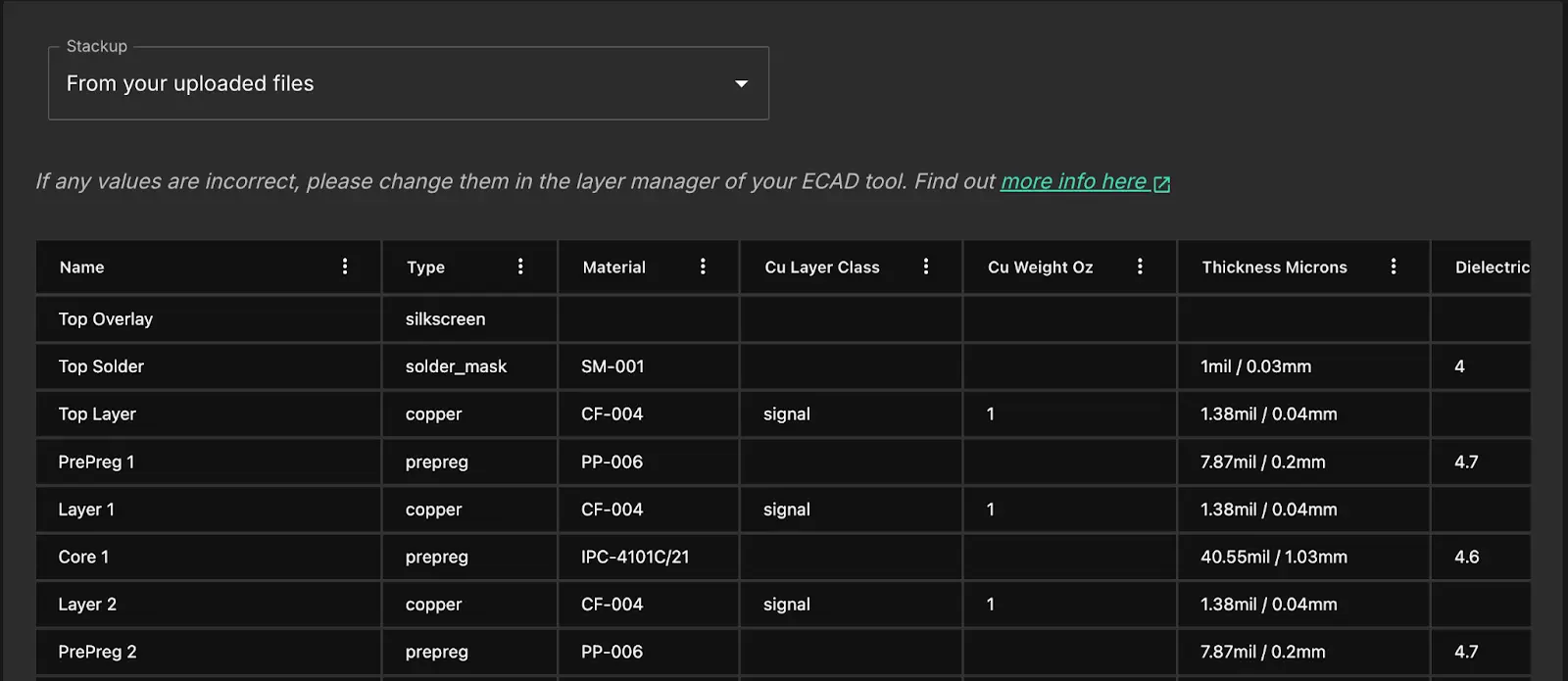
The job setup flow now surfaces stackup and fabricator constraints more explicitly. Each layer, material property, and fabrication rule that affects routing is visible in the setup screens, and the fab constraints are editable within the app. In the next week or two, layer assignments will also be editable. This continues the work started by the restructured setup flow in March: fewer parameters that get applied silently, more parameters you can see and adjust.

Docs: Stack-ups, Specify design parameters

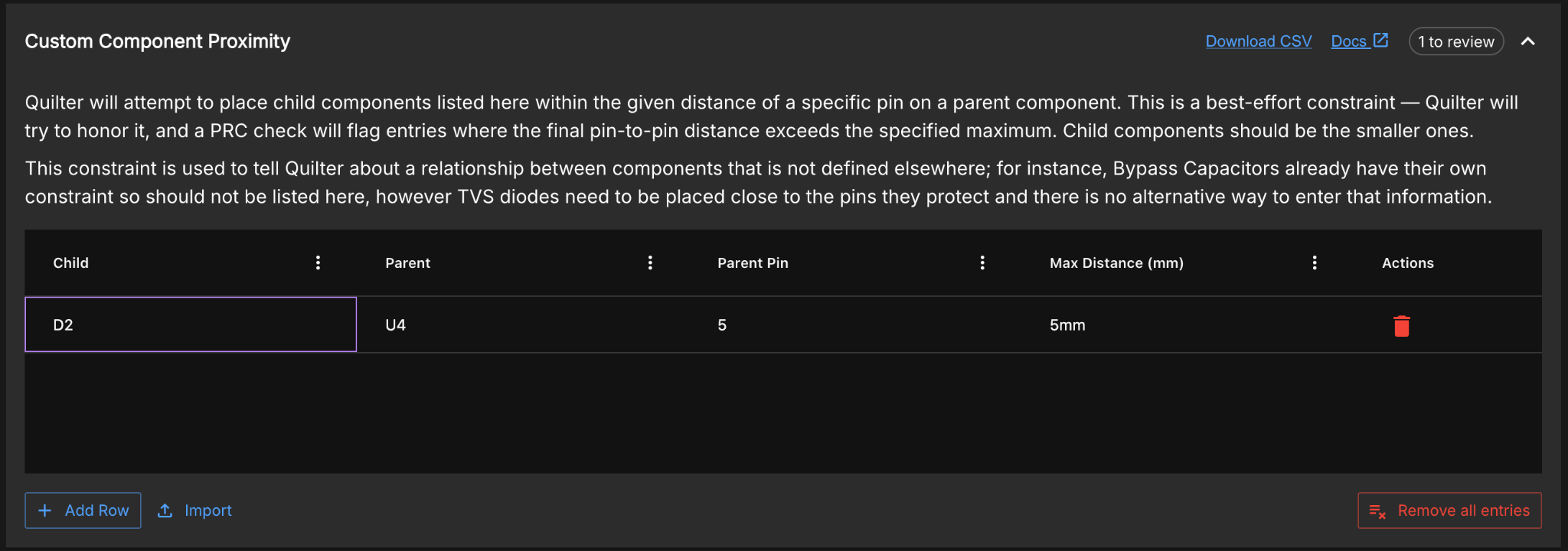
Custom Component Proximity Constraints

A new constraint type for specifying that one component must sit close to a specific pin on another component. Available in Step 5.2 of the app under "Define your own constraints."

How it works: Select the restricted component, the parent component, the target pin on the parent, and the maximum allowed distance. Quilter applies the constraint during placement and verifies it in the physics rule check, the same way it handles every other placement constraint.

Why this matters: Some constraints (a current sense resistor next to a specific pin on a power IC, a snubber close to a specific FET pin) couldn't be expressed cleanly before. Customers either pre-placed those components themselves or routed the intent through the bypass cap flow. This adds a direct way to express component-to-pin proximity.

Related docs: Physics Constraints Overview, Placement regions

Read more

April 7, 2026

Copy link

Shipped

Calculated Impedance Profiles

Quilter can now calculate impedance profiles for differential pairs and single-ended impedance-controlled signals across all layers of your board, based on your stackup materials. Give Quilter any stackup on any board, and it will route using the trace widths and clearances needed to hit your target impedance.

The calculations are powered by Simbeor by Simberian, the industry-standard solver. If you’ve used impedance calculations in Altium, you’ve already used this solver. As long as the material properties in your stackup are correct, the impedance profiles will be correct.

Projects: Organized Iteration by Design

Jobs now belong to projects. A project groups every iteration of a single design (different board outlines, stackups, floor plans) into one place, so you can track your progress and pick up where you left off.

How it works: Create a new project from the home screen and upload your first job. From there, you can add as many jobs as you need, as long as each upload stays within 10% of the original BOM. Changes beyond 10% start a new project.

Why this matters: Most Quilter customers iterate 2 to 4 times on a design before going to fab. Projects make that workflow explicit: one design, unlimited iteration, everything in one place. This structure also lays the groundwork for faster solve times on subsequent iterations within the same project.

Previously submitted jobs are still accessible from your jobs list. Going forward, all new jobs require a project.

See the Project Documentation for setup details.

Read more

March 26, 2026

Copy link

Shipped
リリース済み

グランドネット、再構築されたセットアップフロー、ジョブごとに1つのスタックアップ

このリリースでは、Quilterが基板をどのように解釈するかがより明確になりました。新しいグランドネットの認識と、見落としがちな制約を明示的に表示する再構築されたセットアップフローを導入しました。単一のコンパイルターゲットにより、意図したとおりのスタックアップと制約を確実に反映します。

グランドネットの認識

Quilterがグランド層で使用するグランドネットを明示的に選択できるようになりました。これまではQuilterが主グランドを推測して設定していました。それも多くの場合は有効でしたが、複数のグランドドメインを含む基板では誤りが生じやすい推測でした。

__wf_reserved_inherit

このアップデートにより、領域グランドポアも利用できるようになりました。コンポーネントが共通のグランドネットを共有する配置領域がある場合、Quilterはその領域に独立したグランドプレーンを作成できるようになりました。これは、アイソレーション、高電圧セクション、そしてセンシティブな信号ドメインに直接役立ちます。

__wf_reserved_inherit

再構築されたセットアップフロー

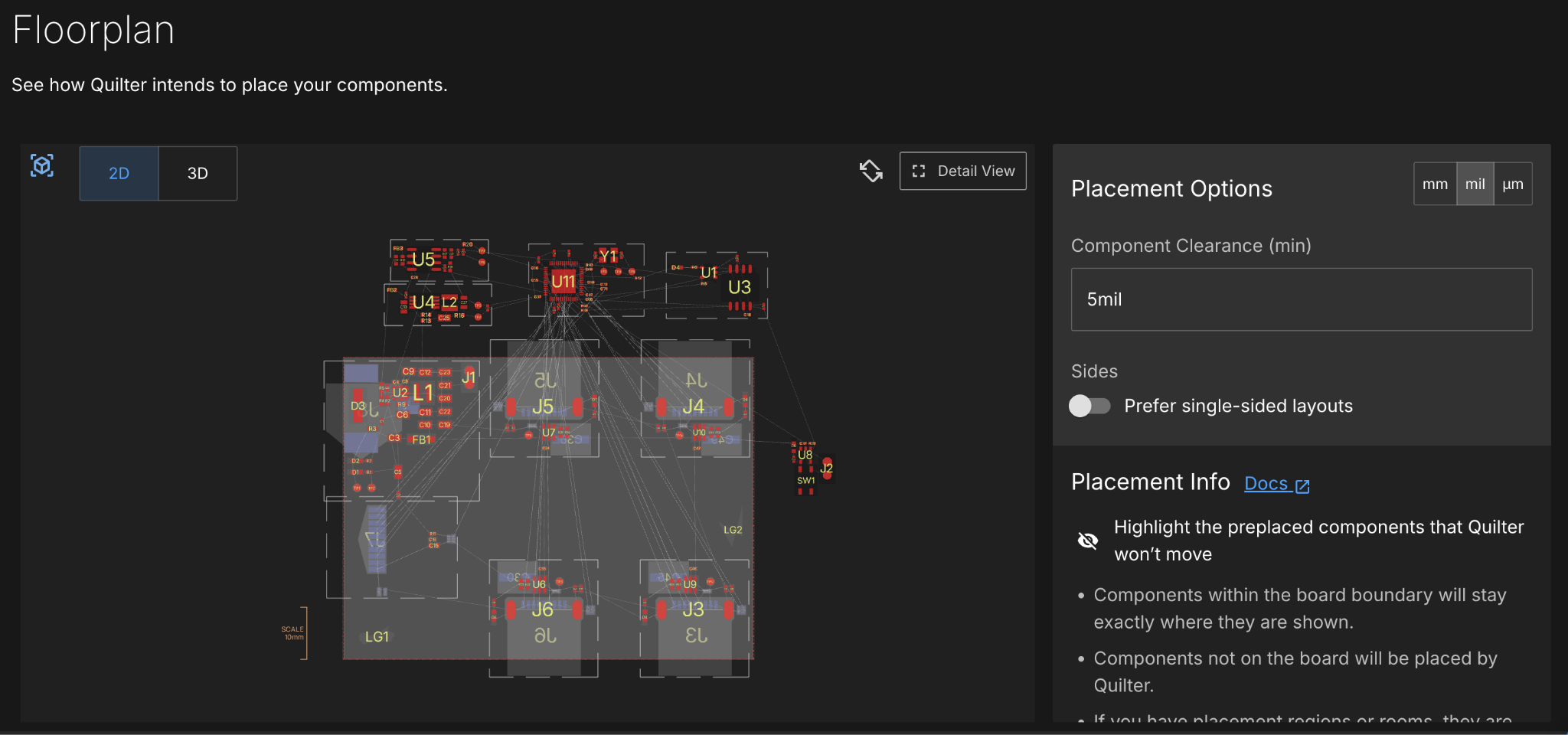
ジョブセットアップフローは2ページから4ページに再構築され、各ステップでの詳細も大幅に充実しました。新しいフローでは、スタックアップの層、電源とグランドの割り当て、製造上の制約を明示的に表示します。また、入力からQuilterが計算した具体的な制約も表示されます—たとえば、電流が既知の高電力ネットについて、各層でIPC2221の発熱要件を満たすために使用されるネット幅を確認できます。

目的は、設定ミスが見えないまま起こるリスクを減らすことです。ルーティング品質に影響するすべてのパラメータが、提出前に表示され、編集可能になりました。

__wf_reserved_inherit

ジョブごとに1つのスタックアップ

これまでQuilterは各ジョブ内で複数のスタックアップと設計制約を試行していました。これは可能な解を探るのには便利ですが、実際にはどのパラメータが必要かをすでに把握しているケースがほとんどでした。複数のスタックアップを含むことで、単一のスタックアップを明確に定義することが難しくなっており、この変更は上記「再構築されたセットアップフロー」の改善を補完します。これにより、Quilterが基板をどのように構成するかについて、より高い制御性と明瞭さを得られます。

__wf_reserved_inherit

新しいCandidate Reviewer!

ルーティングされた基板の確認が、新しいフルスクリーンデザインでさらに簡単になりました。「Detail View」モードがすべてのパネルを取り込んでデフォルトとなり、画面を切り替えることなくすべてを一度に見られるようになりました。このリデザインは大型モニターでも快適に動作します。

__wf_reserved_inherit

Read more

December 31, 2025

Copy link

Shipped
リリース済み

2025年のテーマは、User Design Intent(ユーザーの設計意図)でした

具体的には、ユーザーがECADツールですでに表現した意図を保ち、过剰な設定やプロセスへの介入を要せずに、配置とルーティングを通してそれをそのまま反映させることです。

昨年、私たちは4つの主要アップデートをリリースしました:電源ポア生成、領域とスマートクラスタリング、スタックアップインポート、キープアウトの更新。これらの変更は、システムが基板を解釈する際の曖昧さを減らし、ルーティング品質、EMI動作、予測可能性を大幅に改善しました。

__wf_reserved_inherit

電源ポアの自動生成

電源ポア—特定の電源ネットに接続された広い銅充填領域—は電流に対する低インピーダンス経路を提供し、電圧降下と発熱を抑えますが、従来のCADツールでは手間のかかる手作業となっていました。 

Quilterは、このワークフロー全体を自動で処理します:名前から電源ネットを推測し、どれをポアするかユーザーに尋ね、ポアの連続性を高めるためにコンポーネント配置を最適化し、間隔とキープアウトルールを尊重した銅充填領域を生成し、トレース幅と電流容量に関する物理ルールチェックを実行します—これらはすべて、追加の手作業なしに標準の候補生成の一部として行われます。

領域とスマートクラスタリング(配置意図)

ECADツールで配置領域を直接定義し、インポート時にそれをそのまま反映させられるようになりました。領域は配置の幾何学的制約として機能し、一緒に、局所に、または離して配置すべきコンポーネントをまとめます。領域は片面または両面として設定でき、これは、垂直方向の分離が水平方向のグループ化と同様に意図的である高密度設計やミックスドシグナル基板において特に重要です。
Quilterはスマートクラスタリングも導入しました。これにより、回路図内で直接接続されているコンポーネントが近接して配置されます。

もう一つの新機能は「アンカリング」です。クラスターから1つのコンポーネントを配置すると、クラスター内の他のすべてのコンポーネントがそれにスナップし、手動配置の時間を節約できます。

詳細はPlacement Guideをご覧ください!

入力ファイルからのスタックアップインポート

インポート時、Quilterはスタックアップと設計要件を入力ファイルから直接読み取ります。つまり、層順序は保持され、誘電体のコンテキストが認識され、設計ルールは最小トレース幅やビアサイズなどに反映されます。

キープアウト(機械的およびRF制約)

キープアウトは一級制約として位置づけられ、トレース、ビア、コンポーネント、ポアのあらゆる組み合わせをサポートします。ECADツールでキープアウト領域を定義して、アンテナを保護したり、機械的スペースを確保したり、敏感なIC下のルーティングをブロックしたり、コンポーネント内部領域を尊重したりできます。

インポート時、Quilterはこれらの領域を尊重し、配置とルーティング中にそれらを適用します。

これは高い可視性と価値を持つ機能です。なぜなら、EMI問題、RF性能の劣化、望ましくない配置など、後工程で生じるクラスの障害全体をそれらが発生する前に防ぐからです。裏では、この作業はより広範な設計ルールの取り込みの基盤を構築しており、近いうちに提供予定の完全なクリアランス制約サポートとより強力なDRCチェックを含みます。

Read more