





シリーズ全体を読む
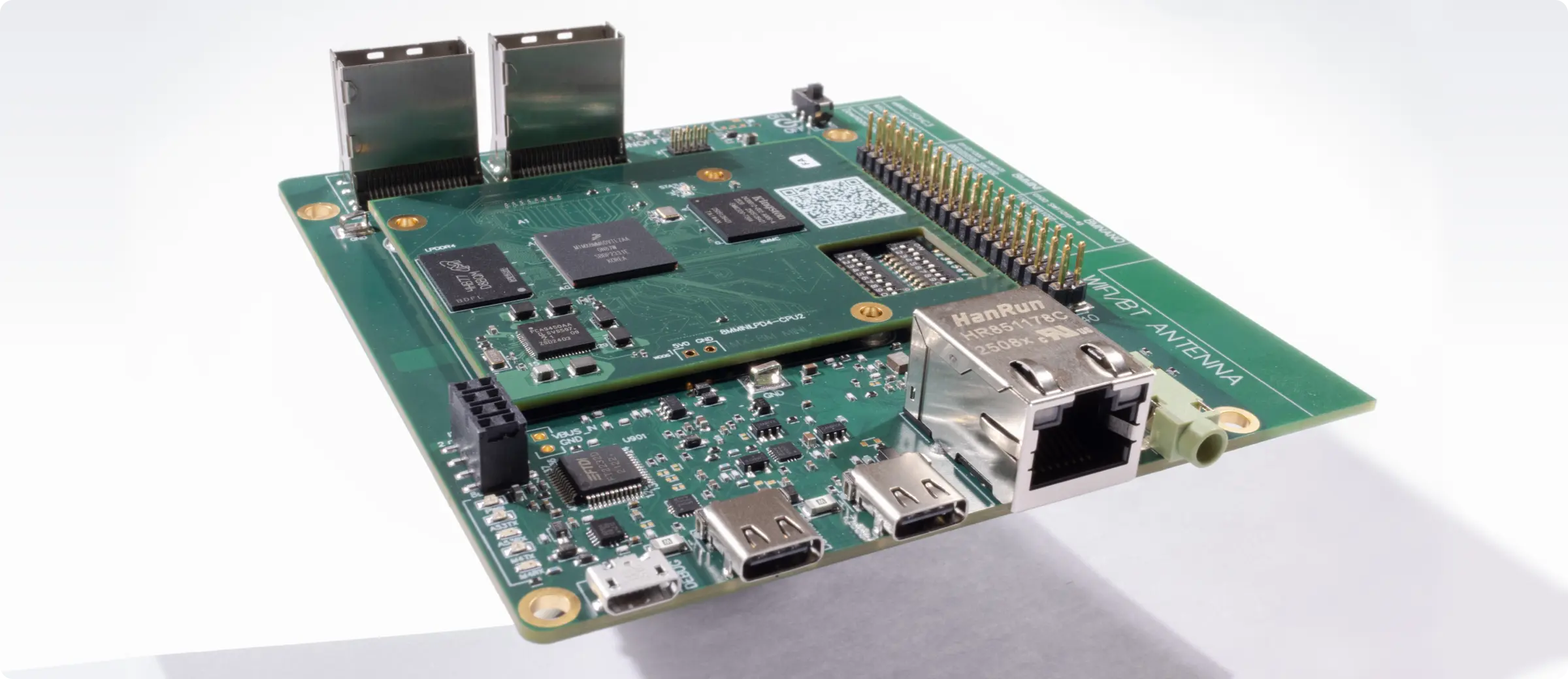
この記事は、Quilterの物理法則に基づくレイアウト自動化を使い、NXP i.MX 8M Mini搭載コンピューターを再現した過程を詳しく紹介するシリーズの一部です。
Linuxで基板を設計している方なら、そのトレードオフはすでにご存じでしょう。安定性、性能、そして環境を本当に制御できることを望む一方で、現代のハードウェア設計についてこられるツールも欲しい。課題は単純です。多くの既存EDAツールはWindowsを先に想定して作られており、Linuxユーザーは何年もパッケージの問題、互換性の修正、回避策のあいだを渡り歩いてきました。良い知らせは、LinuxネイティブのEDAの選択肢が強くなってきており、クラウドネイティブのプラットフォームが新しい道を開いていることです。
本ガイドでは、Linuxで使えるPCB設計ソフトウェアを一通り比較します。ネイティブアプリケーション、エミュレートしたWindowsツール、そして新しい種類のクラウド型設計プラットフォームを順に見ていきます。その上で、Linux上で最速のレイアウトとセットアップの手間ゼロを求めるエンジニアにとって、Quilterがどこに位置づくのかをお示しします。
LinuxのPCB設計者にとって最も重要なことを定義しましょう
LinuxでPCB設計ソフトウェアを選ぶのは、WindowsやmacOSで選ぶのとは同じではありません。Linuxのエンジニアは信頼性、自動化、再現性、そして制御を重視します。そのため、EDAツールに対する期待も異なってきます。
Linuxは多くのハードウェアエンジニアにとって自然な居場所
Linuxはパッケージマネージャー、スクリプトの柔軟さ、安定した開発環境を提供し、ハードウェアのワークフローにぴったりと合います。オープンな規格、振る舞いの読めるツール、ベンダー囲い込みの少なさを好むエンジニアは、しばしばLinuxに行き着きます。
従来のEDAツールにつきものの不満
多くの既存PCBツールは、Windows専用のインストーラ、独自のドライバ、あるいはLinuxにはきれいに移らないデスクトップ環境に依存しています。Wineや仮想マシンで動いたとしても、エンジニアはくせのある振る舞いに向き合わなければなりません。限られたGPUアクセラレーション、遅い描画、安定しないショートカットキー、ファイルシステムの問題などです。
ネイティブとオープンな規格が重要な理由
Linuxユーザーが優先しがちなのは次の点です。
- パッケージマネージャーときれいに連携するネイティブアプリケーション
- よく文書化されたファイル形式
- 長期にわたる安定した互換性
- 更新のたびに壊れる依存関係がないこと
- スクリプト、自動化、開かれた共同作業を支えるワークフロー
こうしたニーズが、Linux向けの最適なPCB設計ソフトウェアの選び方を形作っています。ネイティブツールはその道の一部まで連れていってくれます。クラウドネイティブのツールは、残りの負担をシステムから丸ごと取り除いてくれます。
主要なネイティブLinuxツールはどう比較できるか
LinuxのネイティブPCBツールはこの十年で大きく改善されました。主な選択肢はKiCad、LibrePCB、gEDA/PCB、pcb-rndです。それぞれが若干異なる利用者、ワークフロー、設計の複雑さを想定しています。
ご自身の環境に合うものを判断できるよう、明快で実践的な比較を以下に示します。
ネイティブLinux PCBツール比較表
実際のシナリオ
シナリオ1:個人で小さな2〜4層の基板を作っています
KiCadかLibrePCBが筆頭候補です。簡単さではLibrePCBが勝ります。機能の深さと長期的な発展ではKiCadが勝ります。
シナリオ2:スタートアップのエンジニアで、6層や8層の試作品を作っています
他のツールは高度な制約に最適化されていないため、KiCadが現実的なネイティブLinuxの選択肢です。
シナリオ3:徹底したスクリプトと自動化が必要です
pcb-rndが最も柔軟です。利用層は小さいものの、自動化の能力は強力です。
ネイティブLinuxツールの結論
安定性、オープンソースのツール群、きれいなパッケージ導入を望むなら、長期的に最も安全な選択はKiCadです。設計が複雑になってもうまくスケールします。初めての方にとって最もやさしいのはLibrePCBです。その他は、特定用途や既存環境のワークフローの中で強みを発揮します。
ただしネイティブツールは依然として、ローカルへの導入、依存関係の管理、手動の更新を必要とします。チームが大きくなるほど、特に全員がLinuxを使っているわけではない場合に、この痛みは増していきます。
WindowsのPCBツールをLinuxで動かすとどんな課題が生じるか
多くのエンジニアはWine、Proton、仮想マシンを使って、Windows専用のEDAツールをLinuxで動かそうと試みます。技術的には可能ですが、この道は常に摩擦を伴います。実務では、その摩擦は時間とともに積み上がっていきます。
技術面のハードル
Altium、OrCAD、DipTraceをLinuxで動かす場合、通常は次のような障壁が伴います。
- GPUアクセラレーションが遅い、あるいは安定しない
- 高DPIディスプレイへの対応が限られる
- ショートカットキーやUI操作がWine内で壊れる
- マイコンへの書き込み時にドライバやUSBパススルーの問題が起きる
- 大きなプロジェクトフォルダを保存するときにファイルシステムの整合性が崩れる
これらは致命的な問題ではありませんが、日々の摩擦を生み、開発サイクルを遅らせます。
ライセンスと更新の問題
Windows向けEDAツールの中には、Wine下で常には正しく動かないWindowsサービスに紐づいたライセンス仕組みを使うものがあります。更新が失敗することもあります。サポート窓口が対応を断ることもあります。見通しの立つワークフローに依存する開発チームにとって、これは追加のリスクとなります。
エミュレーションが成り立つ場合
WindowsのPCBツールをLinuxで使うことは、次の場合には成り立ちます。
- チームがWindowsのツールに統一している
- そのツールを時々使えればよい
- 管理された仮想マシン環境がある
- 互換性のために性能低下を受け入れられる
ネイティブな使い心地、速いレイアウトの反復、あるいは徹底してLinuxを軸に置いた開発ワークフローを望むなら、このやり方は理想的とは言えません。
クラウドネイティブのPCB設計が状況を変えつつある理由
クラウドネイティブのPCBソフトウェアは、依存関係の山を丸ごと手元のマシンから取り除きます。Wineも仮想マシンも独自のインストールも必要ありません。すべてがブラウザで動きます。速さ、可携性、見通しのよさを求めるLinuxのエンジニアにとって理想的です。
依存関係の悩みがない
クラウドネイティブのツールは、デスクトップ導入につきまとうパッケージ管理と互換性の問題を取り除きます。現代的なブラウザであれば何でも使え、ディストリビューションを問わず一貫した使い心地が得られます。
OSをまたいだなめらかな共同作業
チームにはWindowsやmacOSの利用者も含まれることがよくあります。ブラウザベースのPCB設計なら、次のようになります。
- 全員が同じ画面を見る
- バージョンの不一致に悩まされない
- ファイル、制約、設計ルールが一貫して保たれる
これにより、複数プラットフォームの開発チームを遅らせる断絶がなくなります。
常に最新
次のものが手に入ります。
- 自動更新
- 自動のセキュリティ修正
- ローカルの導入作業やアップグレード作業が不要
- 新機能への即時アクセス
これによりLinuxのエンジニアは、設計により多くの時間を使い、ツールの維持に使う時間を減らせます。
新しいワークフローを開く
クラウドネイティブな設計は、ハードウェアチームに新しい能力をもたらします。
- レイアウトの並列生成
- 遠隔でのレビュー
- クラウド上での制約管理
- 設計候補の共有
- 統一されたバージョン管理
現代のAI支援型PCBツールが真価を発揮し始めるのは、まさにここです。
LinuxユーザーにとってQuilterはどうか
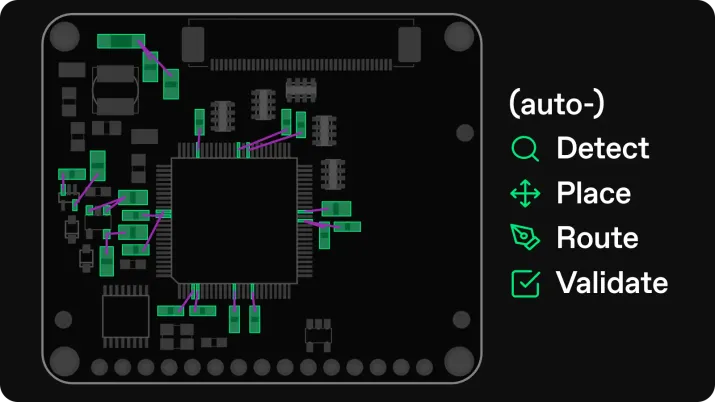
Quilterは、物理駆動型AIを使ってPCBレイアウトを加速するクラウドネイティブのプラットフォームです。完全にブラウザで動くため、導入作業やシステム設定なしでLinuxと即座に互換します。
以下はQuilterと、代表的なネイティブおよびエミュレーションの選択肢との直接比較です。
Quilterとネイティブ・エミュレーションツールの比較
QuilterがLinuxの優先事項と合う理由
Linuxのエンジニアは制御、再現性、速さを重んじます。Quilterはローカルの依存関係を取り除き、手作業のレイアウトを減らし、どこでも同じように振る舞うブラウザベースの環境をチームに提供することで、それを実現します。
主な利点は次のとおりです。
- ローカルへの導入が不要
- 依存関係の連鎖がない
- どのLinuxディストリビューションでも動く
- 設計サイクルを縮めるAIレイアウト
- WindowsやmacOSの同僚との共同作業が容易
- 引き渡し前の完全な物理検証
複雑さや制御を手放さずに速く進みたいエンジニアにとって、Quilterはネイティブツールにもエミュレーションにも代わる、説得力のある選択肢になります。
乗り換えたらどんな成果が期待できるか
クラウドネイティブでAIを使ったPCB設計に乗り換えると、ハードウェア開発のペースと品質の両方が変わります。Linuxユーザーは、ローカルのCAD設定を管理する手間がなくなるため、最も大きな恩恵を得る傾向にあります。
より速い反復
新しいPCBレイアウト候補を数時間で生成できます。複数の層構成、配線方針、物理的制約を並行して評価できます。これにより、同じ時間でチームがこなせる設計サイクルの回数が増えます。
基板の品質と信頼性の向上
物理を踏まえた検証は、次のような問題を見つけます。
- インピーダンスの不整合
- バイパスコンデンサの抜け落ち
- 差動ペアの問題
- 高周波帯の配線エラー
その結果、立ち上げ時の意外な事態が減り、手戻りも少なくなります。
より生産的な開発チーム
レイアウトが自動化されれば、エンジニアは次に集中できます。
- システムアーキテクチャ
- 高速インターフェース
- パワーインテグリティ
- 検証とテスト
チームはより速く、遅延も少なくハードウェアを出荷できます。
スタートアップ、ロボティクス、航空宇宙、半導体の検証に携わっているなら、こうした恩恵はそのまま研究開発サイクルの短縮と、より見通しの立つ開発パイプラインにつながります。
Linuxで現代的なPCB設計を試してみませんか
Linuxで基板を設計するもっと速く確実な方法をお探しなら、Quilterを無料でお試しいただけます。導入作業はありません。設定もありません。ブラウザを開いて、KiCad、Altium、Cadence、Siemensのファイルをアップロードし、レイアウトの生成を始めるだけです。
- こちらから登録: https://www.quilter.ai
- ドキュメントを見る: https://docs.quilter.ai
- コミュニティに参加する: https://community.quilter.ai
- Linux向けのサポートを利用する: https://help.quilter.ai
私たちはLinuxのエンジニアの声を聞きたいと考えています。ご意見や機能のご要望があれば、LinuxでのPCB開発をさらに良くする方法をQuilterチームはぜひ知りたいと思っています。
現代のPCB設計は、もはやデスクトップへの導入に縛られていません。クラウドネイティブなツールと物理駆動型AIによって、Linuxユーザーはかつてないほど速く設計し、楽に協力し、より野心的なハードウェアを作れます。