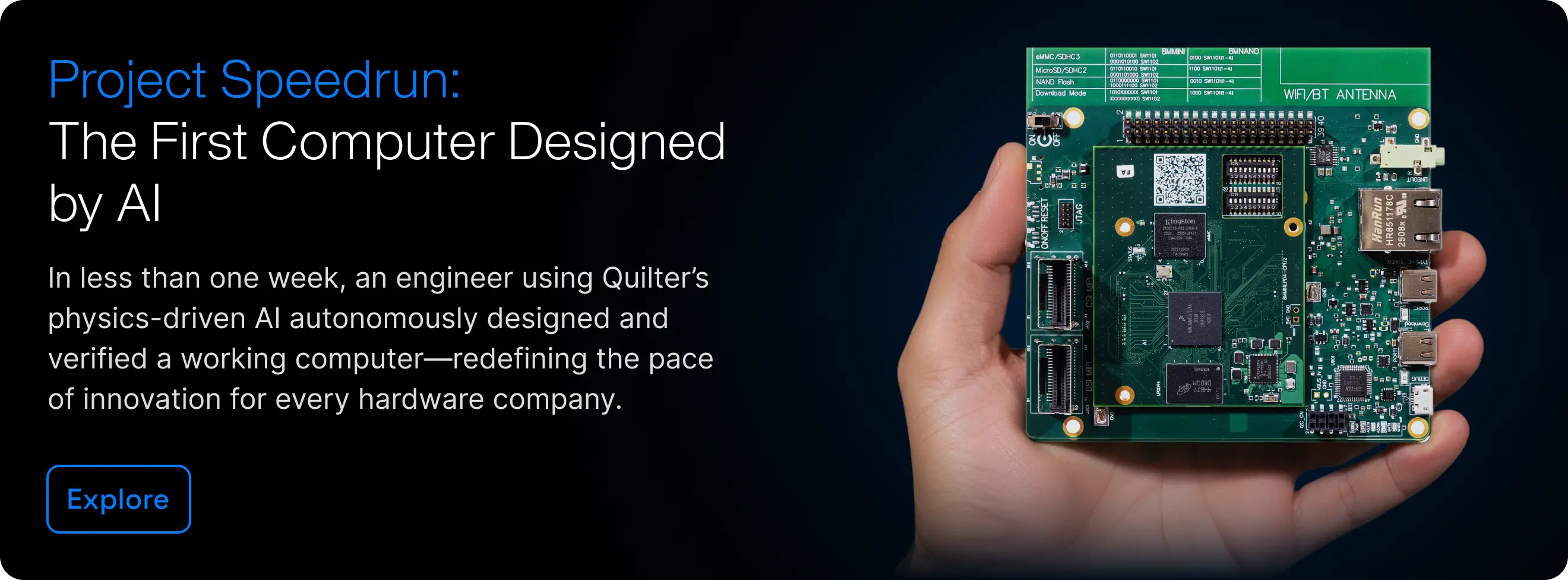
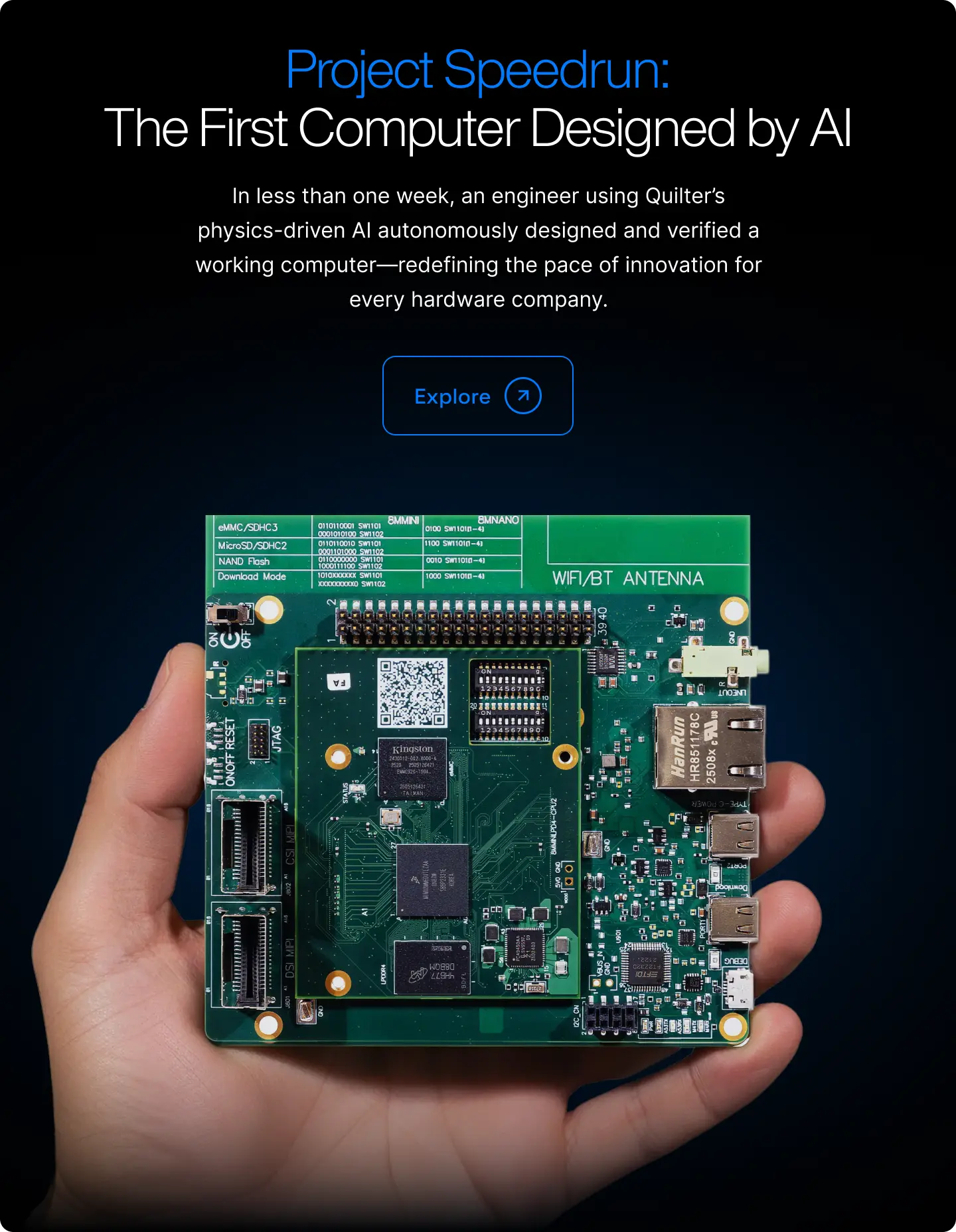










Read the Full Series
This article is one part of a walkthrough detailing how we recreated an NXP i.MX 8M Mini–based computer using Quilter’s physics-driven layout automation.
Part 3 of 3 in our GPT-6 Astra PCB Design series.
We tested whether a GPT-6 Astra-led workflow could finish routing the 8-layer system-on-module (SOM) from Project Speedrun in Altium Designer. Component placement and a partial ball grid array (BGA) fanout were supplied, and Altium's Situs autorouter and Auto Route commands were prohibited. Patrick Poage, our Senior Technical Program Manager, ran the test from September 29 to October 2, 2026.
Over about 62 elapsed hours, including roughly 7 hours waiting for API credits, the workflow closed 836 of the 857 initially open connections. The board ended with 1,088 of 1,109 required connections complete, or 98.1%.
The layout still didn't meet the test's acceptance criteria. Twenty-one connections remained open, tracks ran on ground layers where the design rules prohibit routing, nets with impedance requirements ran on power layers, and the configured DDR timing checks failed.
Part 1 looked at what Astra's launch demo shows about PCB layout, and Part 2 compared the public Astra tests that followed. Those tests used small or simple boards, and none of the reports described a board with DDR memory, a BGA package, or controlled-impedance pairs. This post documents the starting conditions, progress, remaining work, and cost of our run.
Key Findings
- Board. The 8-layer high-density interconnect (HDI) system-on-module from Project Speedrun has an NXP i.MX 8M Mini processor, LPDDR4 memory, and 1,109 required connections. Placement and partial BGA fanout were supplied, and 252 connections were complete before the run.
- Setup. GPT-6 Astra led the workflow from the Codex desktop app and operated Altium Designer through computer-use tools. Altium's Situs autorouter and Auto Route commands were prohibited.
- Result. The workflow closed 836 of the 857 initially open connections in about 62 elapsed hours, bringing the board to 1,088 of 1,109 required connections complete (98.1%). Patrick stopped the run when progress stalled.
- What worked. It ran overnight without supervision, verified that its edits persisted, tracked connectivity through Altium's reports, and made 64 commits. It also caught a supply net that a copper pour had split and repaired it before saving.
- Still open. 21 connections remained open, and the DDR routing failed its configured delay, skew, and uncoupled-length rules. The board also had 1,555 track segments on ground layers and 1,058 segments of nets with impedance requirements on power layers, where the design rules don't allow them.
- Cost. About $2,900 by Patrick's count: about $400 for setup and tool building and about $2,500 in tokens for the run.
Our Test: An 8-Layer SOM With DDR in Altium Designer
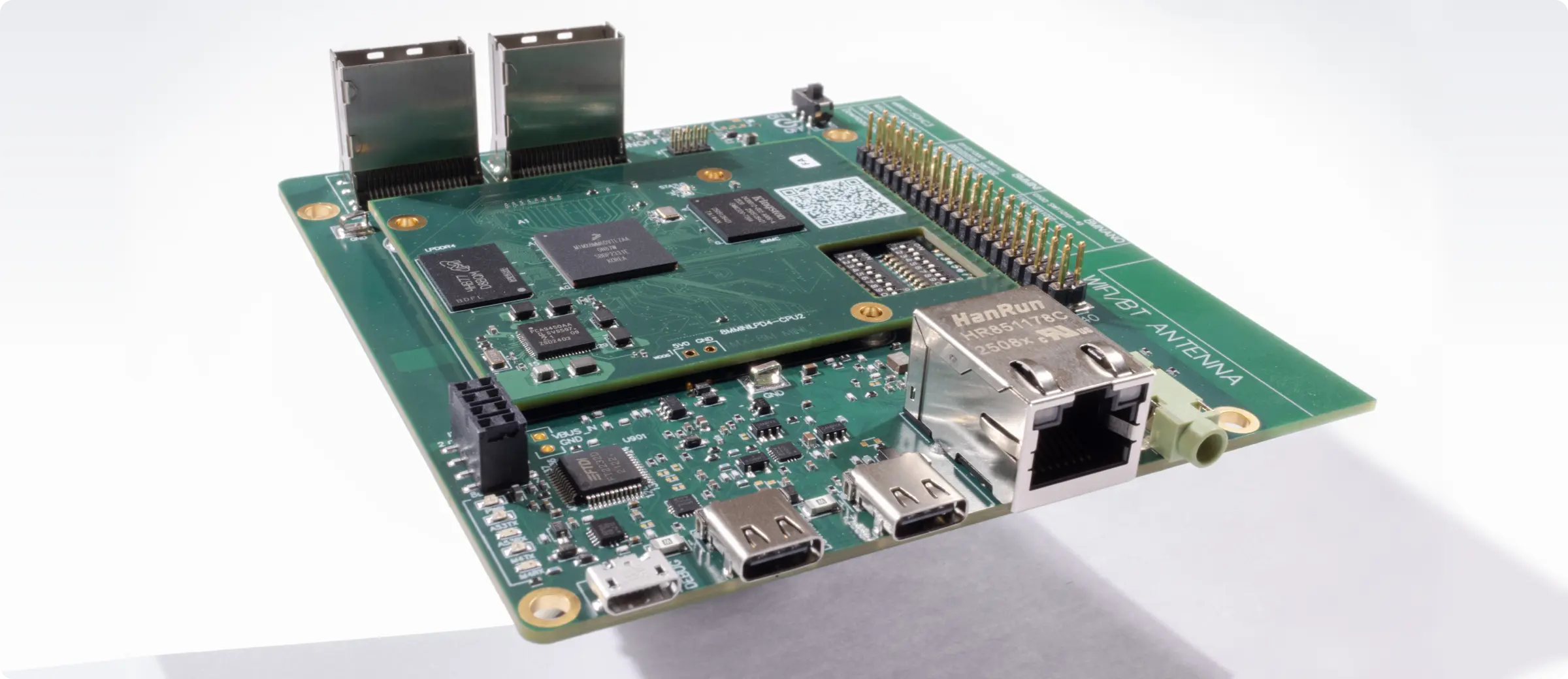
The board was the Project Speedrun system-on-module (SOM): an 8-layer HDI board with an NXP i.MX 8M Mini BGA, LPDDR4 memory, and eMMC storage. We had already designed this computer with Quilter, built it, and run it under real workloads, including Linux, Gigabit Ethernet, a 1080p camera-to-display pipeline, hardware-accelerated video decode, and browser gaming. That gave us a working reference layout for the same board.
The starting file had 228 components, 321 nets, and 1,109 required connections. Placement and partial BGA fanout were supplied, and 252 connections were already complete. That left 857 open connections for the workflow to route.
Astra ran in the Codex desktop app on a persistent Windows virtual machine on Amazon EC2, with Altium Designer installed on the same machine, and operated Altium through computer-use tools. The virtual machine stayed up for the whole multi-day run, and Patrick reached it over remote desktop when he needed to step in. The run wasn't a one-shot prompt. Patrick worked with Astra to define the setup, and before it routed anything, Astra spent about 4 hours and about $400 in API usage planning how to operate Altium and building its own tools:
- Scripts that export a full inventory of the board, so every change can be checked against the real file
- Guarded helpers that add tracks and vias, then read them back from Altium to confirm the edit took effect
- A recorder that captured the Altium window every 5 minutes and fed a live dashboard for the team
A 982-line prompt set the rules. An edited public version of the prompt is in our GitHub repository. Component positions, design rules, stackup, and existing copper had to stay fixed, and Altium's Situs autorouter and every Auto Route command were prohibited. In NextPCB's KiCad test, Astra used the Freerouting autorouter (Part 2). Here it routed the open connections with scripted track and via edits, made through the helpers above, and with Altium's interactive tools. Patrick set a target of 18 hours for the run, roughly comparable to the time Quilter took on this board for Project Speedrun, where its layout job ran for 15 hours. The target was a goal rather than a hard limit, and the run continued past it while Astra was still closing connections. By the end, Astra was coordinating its own small team: a controller that owned Altium, the code, and Git, a status agent that kept the dashboard current, and two review agents that checked electrical and evidence questions. It committed its own work to a Git branch, 64 commits in all.
How We Monitored the Run
Astra built its own monitoring before it started routing. The recorder fed a live dashboard that ran on the virtual machine and showed the growing timelapse, Astra's notes on what it was doing at each 5-minute capture, live logs, and a heartbeat that showed whether the run was still active. Astra also committed its code, progress notes, and logs to a Git branch as it worked, and Patrick tracked API spend as the run went. Those records are the source for the timeline, the chart, and the cost figures in this post. The prompt, Astra's final report, the scripts it wrote, and the input and final Altium projects are in the same public GitHub repository.
How We Counted Connections
Connection counts in this post come from the run's board inventory exports and from Altium's final DRC. At the end, the inventory showed 1,089 complete connections, and the final DRC found one more open connection, on SD2_DATA0, so we report the lower count, 1,088. Altium's DRC reports unrouted findings, which it counts differently from open connections: it reported 869 at the start and 33 at the end, 12 more than the open-connection count at both points.
How the GPT-6 Astra Run Progressed Over 62 Hours
The workflow closed 836 of the 857 open connections before Patrick stopped the run. Most of that progress came on day one: about 48 connections an hour in the first 5 hours, slowing to about 1 an hour in the last 12. Figure 1 counts total required connections completed by hours since the full run started on September 30 at 04:33 UTC, including the 252 completed before the run. Its data comes from the run log, Astra's commit messages, and Astra's final report, and the final value is the conservative count from Astra's final DRC; Astra's own inventory showed 1,089.

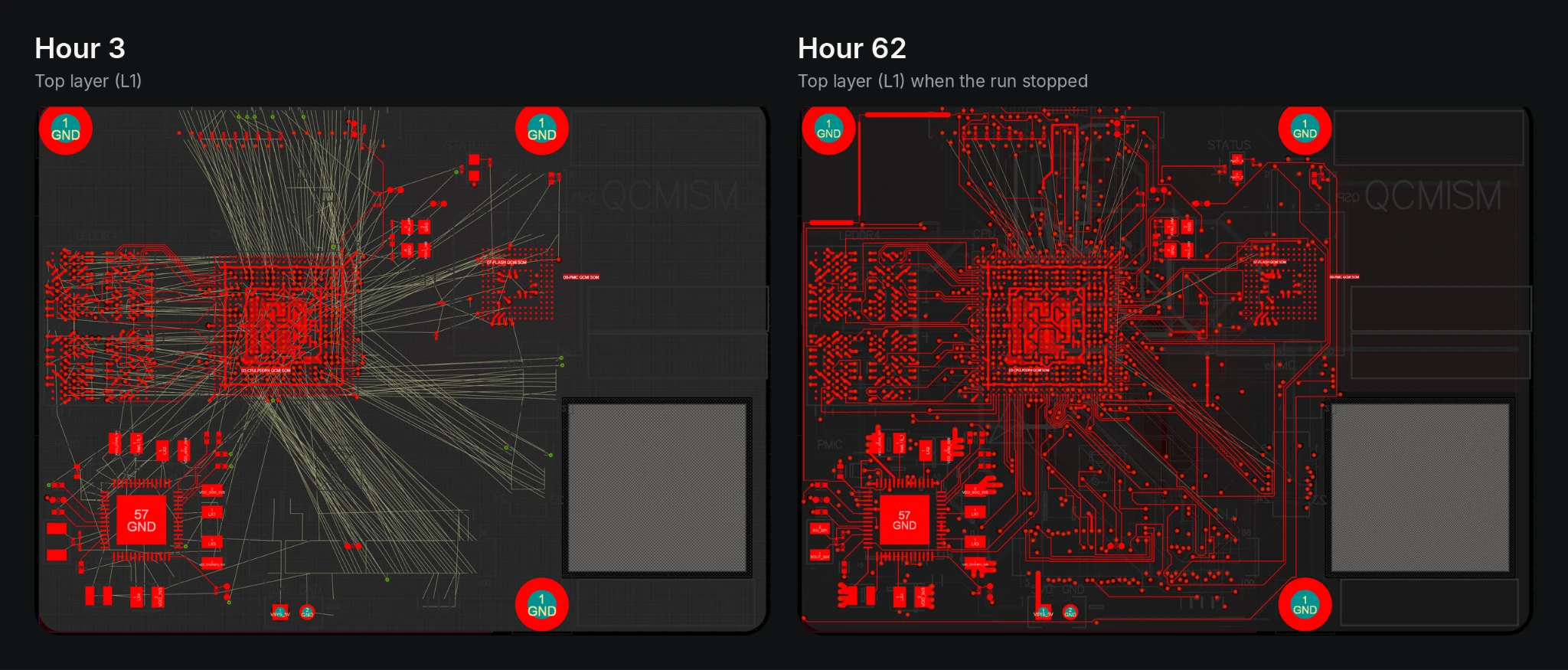
Figure 2 shows the top layer (L1) about 3 hours into the run and when the run stopped at hour 62. The thin straight lines are the ratsnest, the connections Altium still showed as unrouted. Both screenshots come from the run recorder, which captured the Altium window every 5 minutes. At the stop, 21 connections were still open, and the layer and timing requirements were unmet.
- Hour 0, September 30 at 04:33 UTC. The full run starts from a 982-line prompt and an untouched copy of the board.
- Hour 1. Astra saves its first accepted checkpoint: eight power management IC connections, confirmed after a save, close, and reopen in Altium. Early DDR attempts add clearance faults, so Astra rejects them and moves on.
- Hours 5 to 13. Astra runs out of API credits and sits idle for about 7 hours. Patrick also has to restore the Altium license over remote desktop.
- Hours 13 to 18. Copper pours close connections fastest. One supply polygon closes 42 connections in a single step, and five more power and ground polygons close another 42.
- Overnight into October 1. Astra keeps going without supervision, with 13 checkpoint commits between 22:36 and 08:01 UTC.
- October 1 and the morning of October 2. Progress slows to one to four connections per batch, because each new route means removing and replacing tracks Astra placed earlier.
- October 2. From 11:28 to 17:04 UTC, Astra closes one connection, and the license drops again. Patrick stops the run at about 18:36 UTC. Astra had closed one connection in more than five hours, and based on what we observed, the run had stalled and wasn't going to get any further. Astra runs a final DRC, saves the board, and writes a final report.
The timelapse plays the run recorder's captures of the Altium window, taken every 5 minutes, at 4 frames per second, from the first capture to hour 62. It skips about 7 hours while the run was out of API credits.
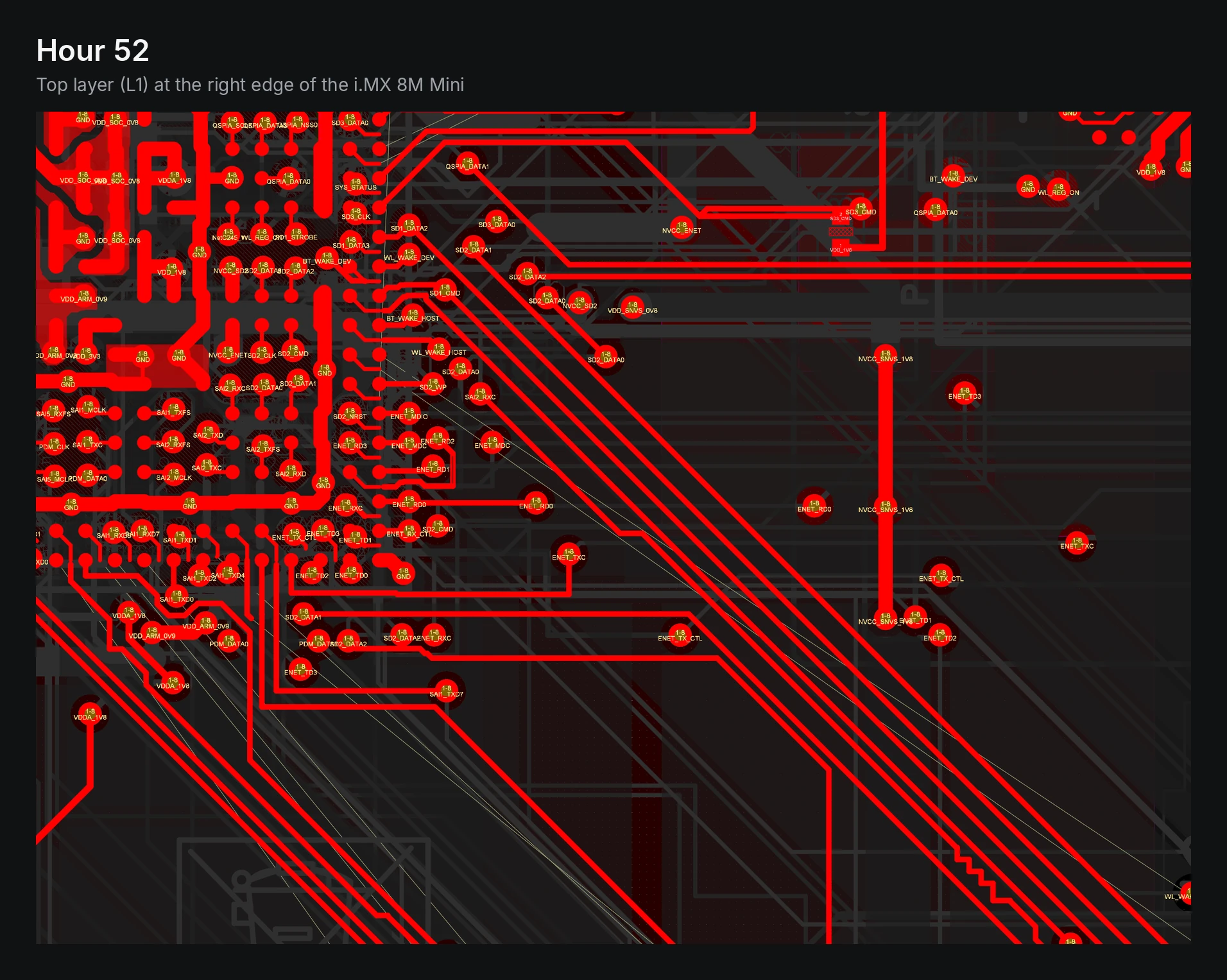
Figure 3 shows the top layer at the right edge of the i.MX 8M Mini at hour 52, on the morning of October 2. Net names in the view belong to the Ethernet (ENET), SD (SD1 to SD3), QSPI, and audio (SAI) interfaces. Pads labeled 1-8 are through vias.
Astra verified that each batch of edits persisted and tracked connectivity through Altium's reports before counting the batch, saved and hash-checked the whole project at every checkpoint (the last was number 113), and logged its regressions next to its gains. Full acceptance checking waited until the end. When a copper pour split a supply net that had been complete, it caught the split, refused to count the batch, and repaired the net before saving. It also fixed its own recorder when Windows file locks broke it, and freed up disk space when its checkpoints left the drive low.
Why the Layout Failed Its Acceptance Checks
Astra's final report states that the board "is incomplete and does not pass electrical or manufacturing acceptance." It lists these gaps:
- Open connections. 21 required connections remained open when the run stopped, across the DSI, CSI, PCIe, USB, SD and eMMC, and SAI interfaces. Several are one half of a differential pair, so those interfaces are incomplete as routed.
- Routing on plane layers. The design rules keep routing off the ground layers (L2, L4, and L7) and keep nets with impedance requirements off the power layers (L5 and L6). The final board had 1,555 track segments on the ground layers and 1,058 segments belonging to nets with impedance requirements on the power layers. Astra planned to clean them up later, and the run stopped before that cleanup.
- DDR timing. Every DDR net is connected, but under the project's configured DDR rules the layout fails the delay, within-pair matching, and uncoupled-length checks. Four clock and strobe conductors exceed the 200 ps delay limit, at up to 346 ps. The worst within-pair skew is 120 ps against a 1 ps limit, and all six DDR clock and strobe pairs exceed the 100 mil uncoupled-length limit.
- DRC findings. The final native DRC reports 3,569 findings, against 4,320 recorded on the original board. Unrouted findings fell from 869 to 33, so all other categories together went from 3,451 to 3,536. Some timing checks were enabled during the run, so the two totals were recorded under different check configurations and aren't a controlled before-and-after comparison. The final report attributes 6 clearance violations below the 3 mil rule, 7 board-edge violations, 59 differential-pair findings, 84 matched-length findings, and 4 delay findings to the run's routing.
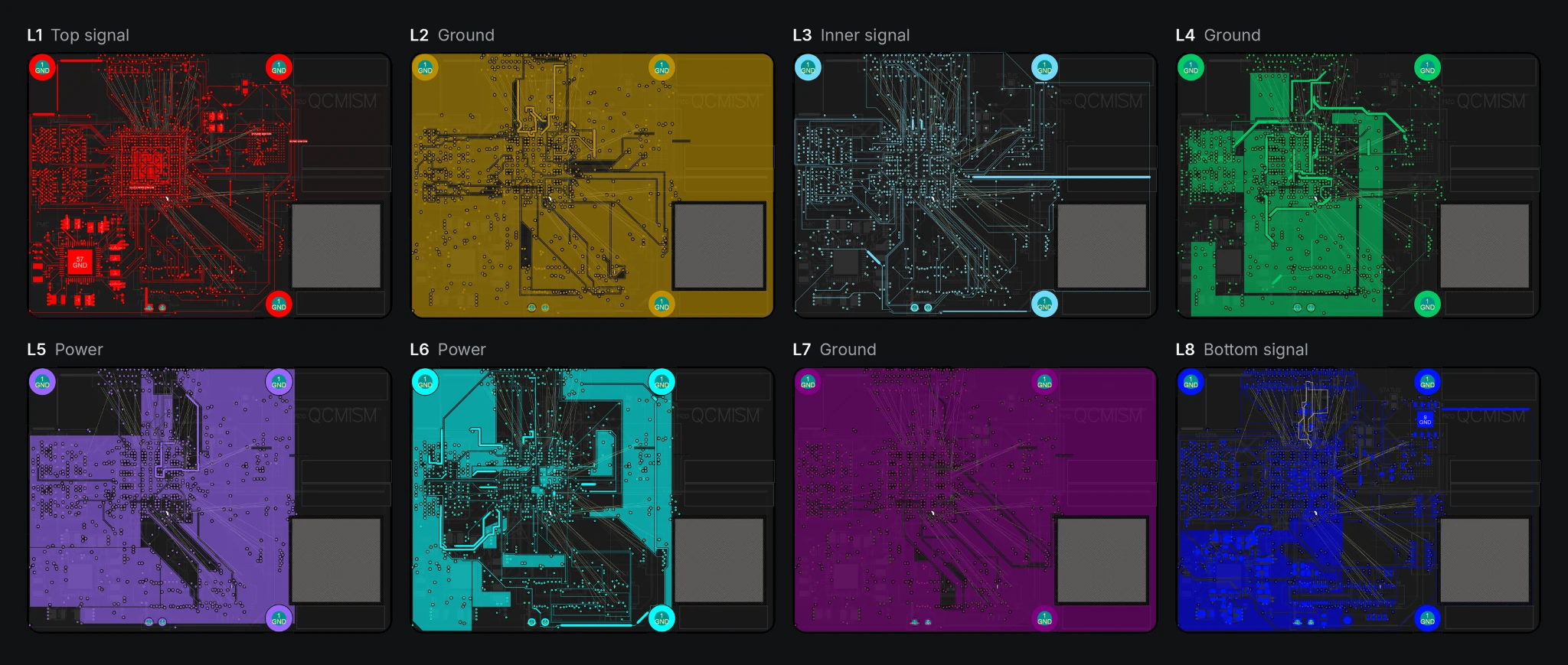
Figure 4 shows all eight layers, which Astra viewed one at a time between hours 43 and 45. The design carries signals on L1, L3, and L8, reserves L2, L4, and L7 for ground, and keeps controlled-impedance signals off the power layers, L5 and L6. Tracks on the ground and power layers show up as lines and dark clearance channels cut into the copper pours.
From the evening of September 30 onward, the run prioritized closing connections and deferred full DRC and DDR tuning. Astra's own report says the full check at the end exposed problems its local screening had missed, and that the remaining electrical work "is much larger than the 21 open edges suggest."
Time and Cost of the GPT-6 Astra Run
OpenAI lists GPT-6 Astra's API price at $10 per million input tokens and $50 per million output tokens. Patrick tracked API spend during the run. The other numbers come from Astra's run records and final report. All of them describe an unfinished run: 62 hours is the elapsed time to the point Patrick stopped it. API spend doesn't include labor, so human time is listed separately, and neither covers the cleanup the layout would still need.
Measure | Value |
Setup and tool building before the full run | About $400 |
Full run, elapsed | About 62 hours (September 30, 04:33 UTC, to October 2, 18:36 UTC), including about 7 hours out of API credits and two Altium license drops |
Required connections complete | 1,088 of 1,109 (98.1%), up from 252 at the start |
Initially open connections closed | 836 of 857 (97.5%) |
Copper on the board at the end | 9,724 tracks and 995 vias, up from 2,825 and 372 |
Commits by Astra | 64 |
Timelapse | 663 captures, one every 5 minutes; the public video uses 632 |
API spend for the full run | About $2,500, by Patrick's count, for a total of about $2,900 with setup |
Human setup, supervision, and operational recovery | About 6 hours, including setup, supervision, and restoring the Altium license |
Remaining layout cleanup | Not part of the test |
GPT-6 Astra vs. Quilter on the Same Board
We laid out the same SOM with Quilter for Project Speedrun, then built it and ran it under real workloads. Both runs started from the same fixed placement and partial human BGA fanout, so the board shows how a general-purpose model driving a layout tool compares with a physics-driven AI built for layout.
The two runs weren't set up identically. Quilter's job used 2 mil trace and space, which Sierra Circuits could fabricate, while Astra's run kept the 3 mil clearance rule in its input file. Quilter's result was also selected from nightly runs where we had multiple candidates to choose from. The table records each run's documented outcome under its own rules.
GPT-6 Astra (this test) | Quilter (Project Speedrun) | |
Starting point | Fixed placement and partial human BGA fanout | Fixed placement and partial human BGA fanout |
Approach | One evolving board candidate, edited in batches and revised as routing progressed | Multiple candidate layouts, with engineers choosing one |
Routing rules | 3 mil clearance, from the input file's design rules | 2 mil trace and space, finer than the about 3.2 mil the original human design reached |
Run time | About 62 elapsed hours against an 18-hour target, stopped when progress stalled | 15 hours |
Routing at the end | 98.1% of required connections, with 21 open | 98.7% routing completion |
Design rules | Tracks on ground and power layers where the rules prohibit them. Failed DRC | Reported DRC-clean |
DDR length matching | Deferred to the end, then failed the configured delay, matching, and uncoupled-length rules | Length-matched during the run; via delay, which the engine didn't model yet, was corrected in cleanup |
Built and run | No | Yes: fabricated by Sierra Circuits and run under real workloads |
Usage cost | About $2,900 in API usage, including about $400 for setup | No token costs; priced per project by unrouted pin count, with unlimited iterations |
The completion percentages ended up close, but the two layouts were in very different states when the runs stopped. Quilter's layout was length-matched, reported DRC-clean, and needed 26.5 hours of cleanup before it went to fabrication. Astra's still had 21 open connections, routing on the layers the design reserves for ground and power, and DDR routes that failed their timing rules, work its own final report calls "a large cleanup burden." We ran the test to see how far Astra could take the routing on its own, and turning the result into a finished manufacturable board was never part of this experiment. Patrick estimates that finishing it would take several weeks, since parts of the board would need to be redone, and we don't think the result would justify that time.
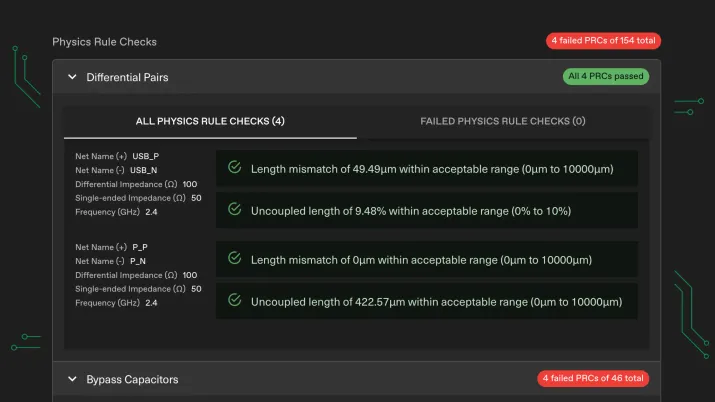
The two tools work differently. Astra is a general-purpose model operating Altium through its interface, and before it could route at all, it needed about 4 hours to plan and write the scripts it used to control Altium. It worked in batches on a single copy of the board, and as the board filled, each new route meant removing and replacing tracks it had placed earlier, which is why progress slowed to about one connection an hour and then eventually just stalled. Quilter is a physics-driven AI purpose-built for PCB layout. It handles routing, length matching, and power pours itself, generates multiple candidate layouts for engineers to choose from, and checks every candidate against physics rules and geometric checks for differential pairs, length matching, ground planes, and bypass capacitor placement. There are also no token costs to track: Quilter is priced per project by unrouted pin count, with no extra cost for more iterations.
How Our GPT-6 Astra Run Answers Five Layout Review Questions
Part 2 used these five design-review questions to compare the public Astra tests. Here are the answers for our run.
- What was the starting point? The Speedrun SOM with placement and partial BGA fanout supplied, 252 of 1,109 connections already complete, the full stackup and design rules, and a 982-line prompt.
- What tools could the model use? Altium Designer, operated from the Codex desktop app on a Windows virtual machine through computer-use tools and scripts Astra wrote, with helper agents for status and review. Altium's Situs autorouter and Auto Route commands were prohibited.
- What was verified? Altium's native DRC with the board's existing rules, run in full at the end. The prompt locked the design rules and no checks were switched off, though some timing checks were enabled partway through. Impedance and return-path checks weren't part of the run, and the board wasn't fabricated.
- How much human work did it take? About 6 hours of setup, supervision, and operational recovery, including restoring the Altium license. Layout cleanup wasn't part of the test.
- Can someone inspect and repeat it? The prompt, the input and final design files, Astra's final report, and the scripts it wrote are in a public GitHub repository. This is one run on one board. A single run doesn't establish how long the workflow typically takes or what it could reach with more time or a different configuration.
What the Altium Designer Astra Test Means for AI PCB Layout
The run didn't produce a layout that met the test's acceptance criteria. Astra prioritized closing connections and deferred layer cleanup, full DRC, and DDR tuning, which Astra's own report calls "a large cleanup burden." As a result, the final connectivity percentage understated the remaining engineering work. At 98.1% connectivity, the board still had incomplete interfaces, routing on prohibited layers, and unmet DDR rules. On a dense board, connecting the nets and meeting the requirements are separate jobs, and completion rate alone doesn't measure the second.
These results apply to GPT-6 Astra as we ran it, in the configuration above, from September 29 to October 2, 2026. Part 2 covers other models released since Astra's launch and PCB tests run with them using other ECAD tools.
We don’t think it’s practical yet to use Astra, or any other LLM, for professional-level PCB design work. Still, a general-purpose model drove a professional electronic design automation (EDA) tool through its interface for close to three days, coordinated its own helper agents, and documented every change it made. All in all, Astra did better than we expected.
We don't believe an LLM without a harness and domain context can take on functional PCB design (see Part 1), but it can be part of a broader solution. General AI agents are learning to operate engineering software, and in specialized fields the strongest results still come from systems built for one job. For PCB layout, that points to general models acting as the interface and orchestrator, and engines grounded in physics producing and checking the layout, with engineers reviewing and signing off.
The Astra launch put PCB layout in front of a far bigger audience than it usually gets, and that is good news for everyone who works on it. To see how Quilter handled this same board, download the Project Speedrun design files, try our AI PCB design on your own board, or talk to a Quilter engineer.
Frequently Asked Questions
Has Anyone Tested GPT-6 Astra in Altium Designer?
Yes. We ran GPT-6 Astra in Altium Designer from September 30 to October 2, 2026, on the 8-layer system-on-module from Quilter's Project Speedrun. Astra worked from the Codex desktop app on a Windows virtual machine and operated Altium through computer-use tools and scripts it wrote, with Altium's Situs autorouter and Auto Route commands prohibited. After about 62 elapsed hours, 1,088 of 1,109 required connections were complete, and the layout still failed its DDR timing rules and had tracks on ground and power layers. The other public Astra tests we found used KiCad or EasyEDA Pro.
How Does GPT-6 Astra Compare With Quilter?
Both workflows have been run on the Project Speedrun system-on-module, starting from the same fixed placement and partial BGA fanout. Quilter's selected 15-hour job reached 98.7% routing completion at 2 mil trace and space, with length matching and power pours done during the run, and its layout needed 26.5 hours of cleanup before it was fabricated and run under real workloads. The Astra-led workflow closed 836 of 857 initially open connections over about 62 elapsed hours, bringing the board to 1,088 of 1,109, and its layout still failed its DDR timing rules and had tracks on ground and power layers. Astra's run used about $2,900 in API usage, while Quilter has no token costs because it's priced per project by unrouted pin count.
What Did GPT-6 Astra Complete in the Altium Routing Test?
The Astra-led workflow closed 836 of the 857 connections that were open at the start, on an 8-layer system-on-module with fixed placement and partial BGA fanout. Over about 62 elapsed hours, with Altium's Situs autorouter and Auto Route commands prohibited, the board went from 252 to 1,088 of 1,109 required connections complete (98.1%). Twenty-one connections remained open when the run stopped.
Did the Final Board Pass the Specified Checks?
No. When the run stopped, 21 connections were open, tracks ran on ground layers where the design rules prohibit routing, nets with impedance requirements ran on power layers, and the layout failed the configured DDR delay, matching, and uncoupled-length rules. Astra's final report says the board "is incomplete and does not pass electrical or manufacturing acceptance."
How Much Did the GPT-6 Astra Routing Test Cost?
About $2,900 in API usage by Patrick Poage's count: about $400 for setup and tool building and about $2,500 for the full run. OpenAI lists Astra's API price at $10 per million input tokens and $50 per million output tokens. The figures don't include about 6 hours of human setup and supervision or the cleanup the layout would still need.
How Long Did the Altium Routing Test Run?
The full run lasted about 62 elapsed hours, from September 30 at 04:33 UTC to October 2 at 18:36 UTC, and stopped before the layout met its acceptance criteria. That time includes about 7 hours idle while the run was out of API credits and two Altium license drops. About 4 hours of tool building came before the full run, and the test took about 6 hours of human setup, supervision, and recovery.
Did the LPDDR4 Routing Meet Its Timing Requirements?
No. Every DDR net was connected, but under the project's configured rules four clock and strobe conductors exceeded the 200 ps delay limit, within-pair skew reached 120 ps against a 1 ps limit, and all six clock and strobe pairs exceeded the 100 mil uncoupled-length limit. The DDR routing requires revision and timing verification.
What's the Difference Between an LLM and AI PCB Design Software?
A general-purpose LLM like GPT-6 Astra operates PCB design software through its interface. In this test, Astra needed about 4 hours to write the scripts it used to control Altium, then edited one evolving board candidate in batches and deferred DDR tuning and full DRC to the end. AI PCB design software like Quilter generates the layout itself. It handles routing, length matching, and power pours, produces multiple candidate layouts for engineers to choose from, and checks every candidate against physics rules and geometric checks for differential pairs, length matching, ground planes, and bypass capacitor placement. Astra's run used about $2,900 in API usage, while Quilter is priced per project by unrouted pin count with no token costs.
Related Reading
- Part 1: Can LLMs Design PCBs? GPT-6 Astra and AI PCB Layout Automation
- Part 2: From Freerouting to DRC: Eight Public GPT-6 Astra PCB Tests
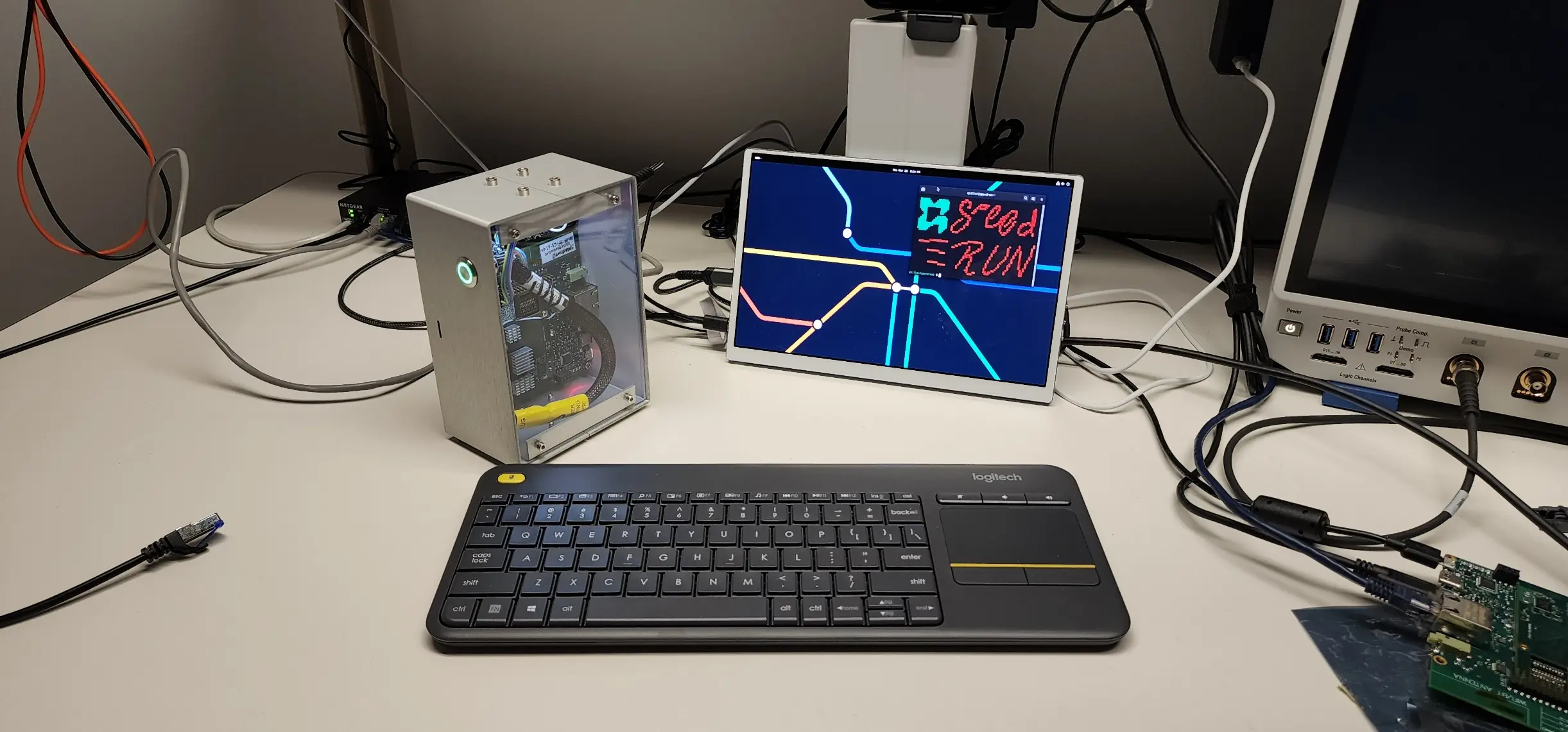
- Project Speedrun, the computer whose system-on-module we gave Astra to route
- GitHub repository with the prompt, design files, and final report from this run
- Glossary: DDR Routing · BGA Fanout · Altium Designer · Controlled Impedance PCB · Differential Pairs
References
Nesterenko, Sergiy. 2025a. "Cleaning Up an AI-Designed Computer: Refining the Layout for Production-Ready Hardware (Part 3/6)." Quilter, December 9, 2025.
https://www.quilter.ai/blog/cleaning-up-an-ai-designed-computer
Nesterenko, Sergiy. 2025b. "Compiling an AI-Designed Computer: Quilter Converts Constraints Into Layout (Part 2/6)." Quilter, December 9, 2025.
https://www.quilter.ai/blog/compiling-an-ai-designed-computer
Nesterenko, Sergiy. 2025c. "Validating an AI-Designed Computer: Running Under Real Workloads (Part 4/6)." Quilter, December 9, 2025.
https://www.quilter.ai/blog/validating-an-ai-designed-computer-running-under-real-workloads
OpenAI. 2026. "GPT-6 Astra: A New Generation of Intelligence." Accessed October 7, 2026.
https://openai.com/index/gpt-6-astra/
Quilter. 2026a. "Can LLMs Design PCBs? GPT-6 Astra and AI PCB Layout Automation." September 8, 2026.
https://www.quilter.ai/blog/llm-pcb-layout-gpt-6-astra
Quilter. 2026b. "From Freerouting to DRC: Eight Public GPT-6 Astra PCB Tests." October 27, 2026.
https://www.quilter.ai/blog/gpt-6-astra-pcb-test-results
Quilter. 2026c. "The PCB Autorouter Was the Right Idea. Completion Rate Was the Wrong Target." June 3, 2026.
https://www.quilter.ai/blog/pcb-autorouter-was-the-right-idea
Quilter. 2026d. "GPT-6 Astra PCB Routing Test: 62 Hours in Altium." GitHub repository, October 29, 2026.
https://github.com/quilterai/gpt-6-astra-altium-pcb-routing-test
Quilter. n.d. "Pricing." Accessed October 21, 2026.
https://www.quilter.ai/pricing
Zheng, Carmen. 2026. "Can GPT-6 Astra Automate PCB Routing? Don't Panic, AI Isn't Replacing PCB Designers Yet." NextPCB, September 2026.
https://www.nextpcb.com/blog/gpt-6-astra-kicad-pcb-routing-test