











Read the Full Series
This article is one part of a walkthrough detailing how we recreated an NXP i.MX 8M Mini–based computer using Quilter’s physics-driven layout automation.
If you’ve ever spent hours untangling autorouter results or wondered if PCB layout could finally keep pace with your design cycles, you’re not alone. In 2026, the landscape has shifted: AI-assisted tools like Quilter are changing what’s possible for engineers, from startups to aerospace teams. Here’s what you need to know before you choose your next automated PCB routing solution.
This guide is built for engineers and technical decision-makers evaluating automated PCB routing, AI PCB layout, and PCB design automation. You’ll learn how modern autorouters work, how to match tools to your board class and budget, and what results you can realistically expect when comparing Quilter vs Altium, Cadence, and KiCad-style workflows.
What’s Changed in PCB Routing Since 2024?
The biggest change since 2024 is that “automated routing” is no longer a single feature inside your ECAD tool. It’s becoming a distinct workflow: generate candidates, validate them against physics and manufacturing constraints, then choose the best option for final polish.
Traditional autorouters are still rule-driven at their core. You define constraints, set routing rules, and the router tries to connect nets within those rules. On simpler boards this can be helpful. On dense, high-speed, or mixed-signal boards, the classic failure mode hasn’t changed much: you get partial completion, too many vias, awkward detours, and a long tail of manual cleanup.
AI-powered routing shifts the evaluation from a single routing pass toward exploring multiple layout candidates. Quilter uses physics-driven AI and reinforcement learning to generate candidates and evaluate constraints. Whether this saves time or reduces manual cleanup compared with Altium Designer or KiCad must be established with matched designs, documented settings, and the same acceptance criteria.
The practical implication for teams in 2026 is simple: if layout is your bottleneck, the fastest path is rarely “a better autorouter button.” It’s a workflow that reduces iteration cost, increases completion confidence, and gives engineers back engineering bandwidth.
How Do Today’s Leading Autorouters Actually Work?
Most “autorouters” fall into three categories: traditional batch routing, guided interactive routing, and AI-assisted candidate generation. They all aim to connect nets, but the way they search for solutions is fundamentally different.
1) Traditional batch autorouting: rule engines plus search heuristics
Classic routers use rules and iterative optimization to find routes. Cadence’s Allegro PCB Router lineage (SPECCTRA) is a well-known example of a shape-based router that focuses on connecting signals and resolving conflicts through its routing process. Cadence has described an approach where the router starts by connecting signals and then resolves constraint conflicts, which is one reason high-end routers can feel more “determined” than entry-level ones.
Strength: strong at enforcing explicit rules at scale.
Tradeoff: the router does not understand intent. It only knows what you told it, and it will happily produce technically legal but practically painful layouts.
2) Guided interactive routing: push-and-shove, glossing, and assisted routing
Modern ECAD tools are excellent at interactive routing: you sketch a path, the router pushes obstacles, respects clearances, and lets you quickly tune. Altium’s ActiveRoute is a good example of “automation that is not a full autorouter.” Altium explicitly describes ActiveRoute as a guided interactive router rather than a complete autorouter, and notes it cannot place vias or handle power routing strategies in the way a full autorouter would.
Analogy: GPS navigation. You are the driver. The tool keeps you from making illegal turns and helps you find a clean path.
3) AI-assisted routing and layout: candidate generation plus physics validation
AI-assisted PCB layout tries to automate not only the connection step, but also the reasoning around constraints, manufacturability, and physics checks. The easiest way to think about it is “self-driving” rather than “GPS.” You still set the destination (constraints, priorities, keepouts, impedance targets), but the system generates complete candidates and explains what it did.
To evaluate a candidate-based workflow, record each stage: prepare the project, define constraints and design intent, generate candidates, review checks, select a candidate, and export it for final CAD review. Comparing several candidates can help expose tradeoffs, but the number of candidates alone does not establish a speed or quality advantage.
Which Solution Fits Your Budget and Board Complexity?
The right “best autorouter software” choice depends on two things that matter more than brand names:
- Board class: simple vs moderate vs dense/high-speed
- Tolerance for manual cleanup: a little polish vs days of rework
Below is a quick self-check that maps common scenarios to tool categories. If you want a single takeaway: traditional tools can be great when you have time and expert operators. AI PCB layout is most valuable when iteration speed and completion confidence are the limiting factors.
A short routing-fit checklist
- Do you route high-speed constraints like DDR, PCIe, USB, HDMI, or sensitive RF paths?
- Do you routinely spend a full day (or more) cleaning up routing after “automation”?
- Do you need to explore multiple stack-ups, form factors, or placement options quickly?
- Do you want automation that still fits into Altium, Cadence, Siemens, or KiCad workflows?
If you answered “yes” to any of the above, you are exactly in the zone where AI-powered PCB design automation tends to pay off fastest.
Budget tiers in 2026 (practical, not theoretical)
Tier A: Free or near-free (best for learning and simple boards)
- KiCad plus external autorouting via FreeRouting is a common route for budget-conscious teams. FreeRouting describes itself as an advanced autorouter compatible with ECAD tools that support Specctra/Electra DSN interfaces, which is why it’s often used as a companion to KiCad workflows.
Best fit: 2-layer to 4-layer boards where interactive routing is acceptable and time-to-cleanup is not a critical schedule driver.
Tier B: Prosumer and professional ECAD (best for strong interactive routing)
- Tools like Altium shine when you have designers who can route quickly using interactive features and constraint systems. Assisted routing can reduce effort, but you are still guiding the process. Altium’s own documentation is clear that some automation features are guided interactive routing rather than full autorouting.
Best fit: moderate complexity, teams that value a unified environment and strong manual control, and schedules that can absorb polishing time.
Tier C: Enterprise routing stacks (best for sophisticated constraints, complex organizations)
- High-end router ecosystems can do a lot when rules are mature, libraries are clean, and teams know how to drive the tooling. They are often expensive, and the productivity gains depend heavily on process maturity.
Tier D: AI-powered layout systems (best for reducing cycle time and increasing iteration)
- If your actual problem is “layout is the rate limiter,” AI-assisted candidate generation can change the economics. Quilter supports common enterprise and open workflows: its Quickstart documentation lists supported CAD file formats including Altium, KiCad, Cadence Allegro, and Siemens Xpedition.
Best fit: dense and constrained boards, high iteration pressure, and teams that want to keep engineers focused on architecture, review, and bring-up instead of routing volume.
A quick mapping from board type to tool approach
Simple MCU boards (2-layer)
If you are routing a basic microcontroller board with relaxed constraints, almost any modern tool can get you there. Your deciding factor is usually cost and comfort.
Moderate mixed-signal (4-layer)
Include manual cleanup in the evaluation, rather than relying on an autorouter’s completion percentage. Compare guided interactive routing and candidate-based workflows on the same placement, constraints, and final checks.
Dense high-speed and RF (6 to 12 layers)
For DDR, PCIe, impedance-controlled nets, or RF keepouts, include rework and tuning in the schedule comparison. A complex board is a useful test of constraint handling, but it does not by itself establish which tool will save the most time.
What Results Can You Expect from Quilter vs. Traditional Tools?
Measure three outcomes when comparing traditional autorouting with AI-assisted layout: time to an accepted layout, manual cleanup effort, and the number of acceptable candidates available for review.
Completion and cleanup depend on the board, constraints, placement, operator, and acceptance criteria. The table describes evaluation considerations, not measured completion rates or a ranking of cleanup effort.
Side-by-side comparison
| Solution | Routing Technology | Typical Completion Rate | Manual Cleanup Effort | Best Fit |
|---|---|---|---|---|
| Quilter | Physics-driven AI, RL-based candidate generation | Measure on the same board and rules | Record all manual cleanup time | High iteration pressure, dense constraints, teams reducing layout as a bottleneck |
| Altium Designer | Interactive routing, push-and-shove, guided assisted routing | Measure on the same board and rules | Record all manual cleanup time | Strong interactive workflows, teams with experienced operators |
| Cadence Allegro (Router ecosystem) | Advanced shape-based routing with extensive constraint systems | Measure on the same board and rules | Record all manual cleanup time | Enterprise environments with mature rules, libraries, and routing specialists |
| KiCad + FreeRouting | Open-source interactive routing plus external rule-based autorouting via DSN | Measure on the same board and rules | Record all manual cleanup time | Budget-sensitive teams, simpler layouts, learning and prototyping |
How to compare Quilter, Altium, and KiCad fairly
The layout evaluation guide sets out how to compare layout workflows using matched inputs, explicit acceptance criteria, and recorded human and compute time. It does not provide verified head-to-head results or establish a winner across board classes.
Use these criteria when collecting your own results:
- Measure the whole workflow. Separate compute time from human effort, and include setup, review, correction, and export.
- Record cleanup explicitly. Count manual adjustments and the time needed to meet the same release criteria for every tool.
- Test representative complexity. Include the constraints your team actually uses, repeat runs, and report failures as well as successful results.
A concrete case example: Project Speedrun (what “engineering bandwidth” looks like)
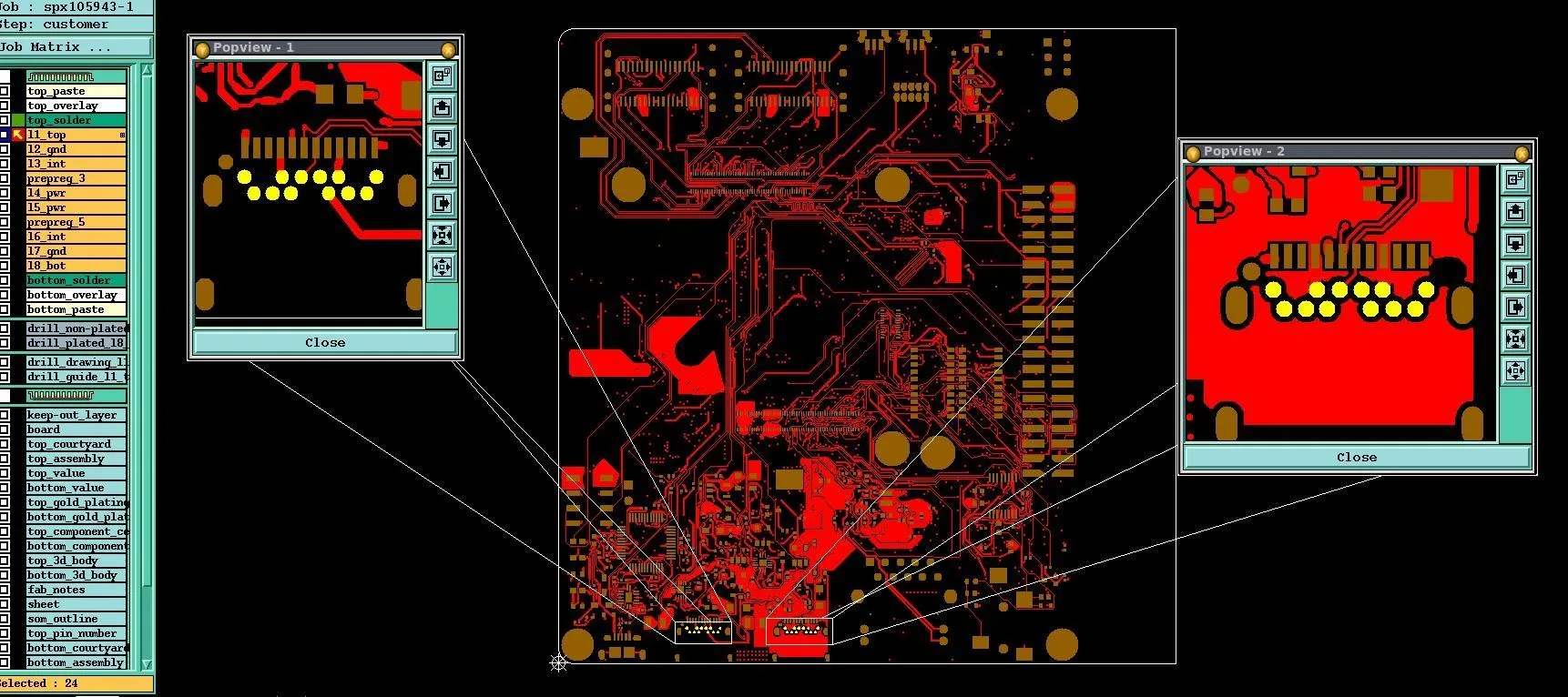
In Quilter’s Project Speedrun, a single engineer designed a working computer using Quilter’s physics-driven AI in under one week, with Quilter reporting 38.5 hours of human input replacing 428 hours of estimated manual effort. Quilter runtime for placement plus routing plus physics validation was reported as 27 hours, with routing completion at 98%.
That is the core ROI story for AI PCB layout in 2026: not that it replaces engineering judgment, but that it compresses low-leverage effort so you can spend more time on architecture, review, bring-up, and iteration.
Here’s How You Can Integrate Quilter Into Your Workflow
The easiest adoption path is to treat Quilter as a layout acceleration layer, not a replacement for your ECAD environment. You keep your existing CAD tools for schematic capture, final DRC, documentation, and fabrication outputs. Quilter sits in the middle where schedule pain usually lives: placement and routing throughput.
Quilter’s Quickstart guidance is explicit about what you need up front: a complete schematic and a supported CAD file format. It lists support for Altium, KiCad, Cadence Allegro, and Siemens Xpedition.
From there, the workflow looks like this:
- Prepare your project and constraints
Start with a clean schematic and a linked board file. Define what must not change: board outline, connector placement, keepouts, layer count, and any critical routing intent like diff pairs or impedance targets. - Upload your native project
Instead of exporting to a fragile intermediate format, you submit the project in the environment your team already uses. The goal is low friction: use the same source of truth you will use for signoff. - Review detected constraints and intent
A major differentiator for AI-assisted layout is that it can surface what it believes the design requires. For example, Quilter has described automatic detection and handling of differential pairs, including impedance-aware calculations and stack-up-specific routing based on physics modeling. - Generate multiple candidates in parallel
This is where the workflow stops behaving like a classic autorouter. Rather than producing one best-effort result, you get multiple complete candidates to compare, each evaluated against constraints. - Select, polish, and export back to your CAD
Once you pick a candidate, you can run your normal signoff process: DRC, silkscreen cleanup, fab notes, and any final tuning.
Visual workflow diagram
- Schematic + Constraints
- Upload native ECAD project
- Constraint + intent review (keepouts, diff pairs, impedance, stack-up)
- Parallel candidate generation + physics checks
- Select best candidate
- Export back to native ECAD for final DRC + fabrication outputs
Ready to See Faster, Smarter PCB Layout?
If your team is still treating layout as a slow, serial step, 2026 is a good year to change that. Traditional autorouters can help in narrow lanes, but AI PCB layout workflows are increasingly the best way to reduce routing time, increase completion confidence, and get more design iterations without hiring more routing bandwidth. Start by trying Quilter on a real board, compare the candidate outputs to your current flow, and decide based on what matters most: speed, quality, and how quickly you can get to a build-ready design. For next steps, explore the Product pages, Workflow overview, and Support resources on the Quilter site, or request a demo tailored to your board class and constraints.


.webp)




















