Whether you’re delivering a single board or scaling across entire programs, Quilter matches your pace; today and tomorrow. Explore freely, pay only for approved designs. Pricing scales by pin count, not by seats, so your entire organization can iterate without restriction.
Quilter is improving with every release. This page tracks what's new, what changed, and what we're working on next.
April 7, 2026
Shipped
Calculated Impedance Profiles
Quilter can now calculate impedance profiles for differential pairs and single-ended impedance-controlled signals across all layers of your board, based on your stackup materials. Give Quilter any stackup on any board, and it will route using the trace widths and clearances needed to hit your target impedance.
The calculations are powered by Simbeor by Simberian, the industry-standard solver. If you’ve used impedance calculations in Altium, you’ve already used this solver. As long as the material properties in your stackup are correct, the impedance profiles will be correct.
In Progress
Clearance Constraints, BGA Fanouts
These capabilities materially expand what Quilter can handle. Each is in active development and shipping incrementally.
Constraints from Uploaded Files
The clearance constraints project reads practically everything you can put into a constraint manager in an ECAD tool and respects it: clearances between vias and nets, between particular nets, by layer, in all of the detail you intended. This is the foundation for stronger DRC checks and higher-fidelity output.
Automated BGA Fanouts
Automated fanout generation for BGAs is intended to ship this spring. Quilter will generate both fanout and breakout for many form factors, including dense connectors. This lets Quilter handle high-density components that previously required manual fan-out before submission.
March 26, 2026
Shipped
Ground Nets, Restructured Comprehensions, Single Stackup per Job
This release makes Quilter more explicit about how it interprets your board. New ground net comprehension and a restructured setup flow that surfaces constraints you may otherwise have missed. Single compile target ensures that you get the stackup and constraints you intended.
Ground Net Comprehension
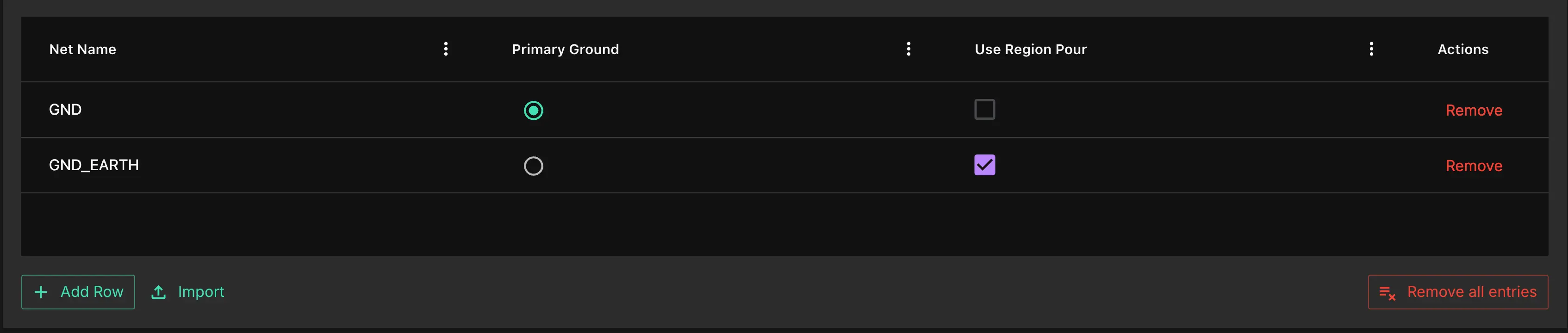
You can now explicitly choose which ground net Quilter uses on your ground layers. Previously, Quilter made a calculated guess at the primary ground. That worked in most cases, but was a fallible assumption on boards with multiple ground domains.
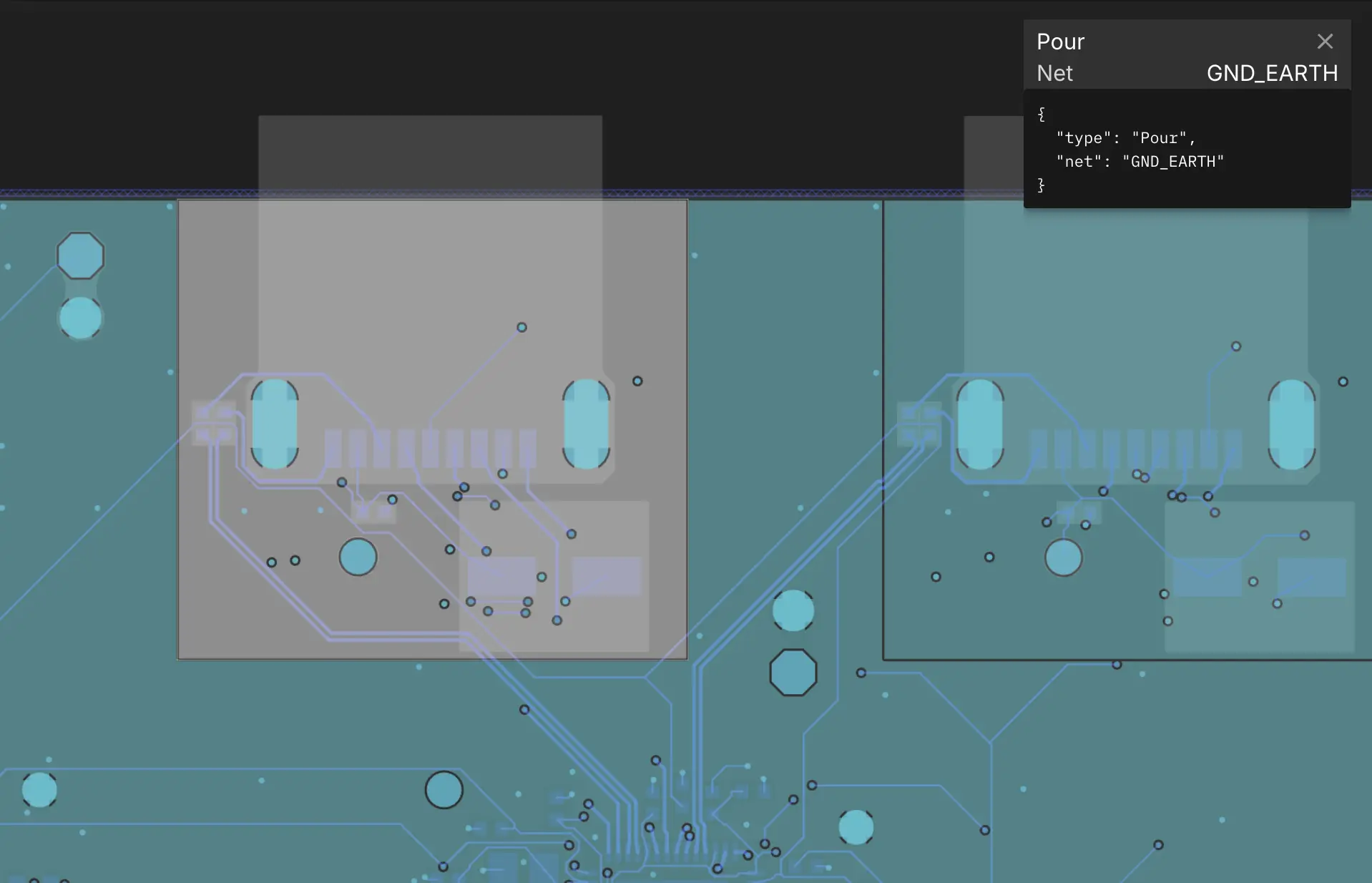
This update also enables region ground pours. If you have a placement region where components share one ground net, Quilter can now establish an independent ground plane for that region. This is directly useful for isolation, high-voltage sections, and sensitive signal domains.
Restructured Setup Flow
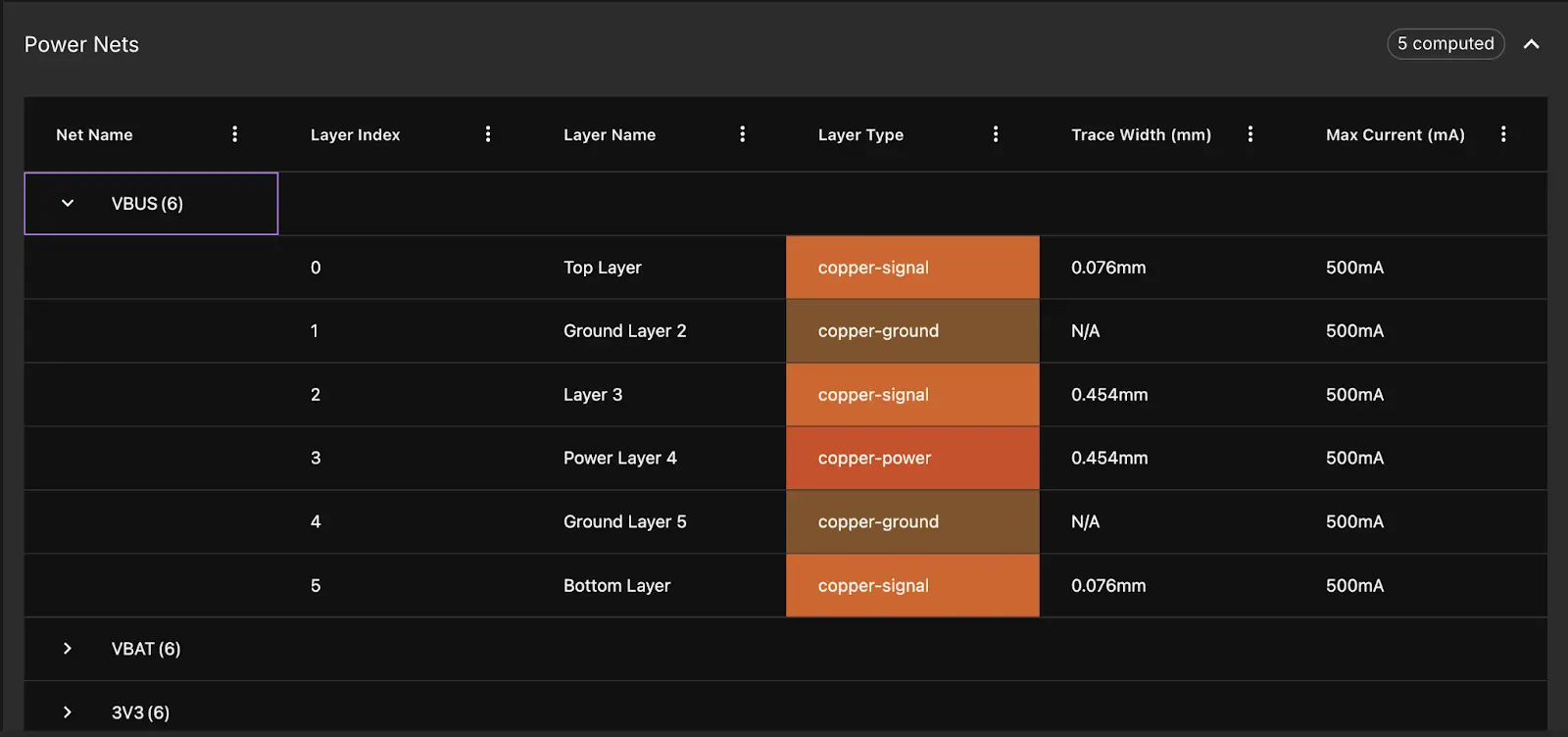
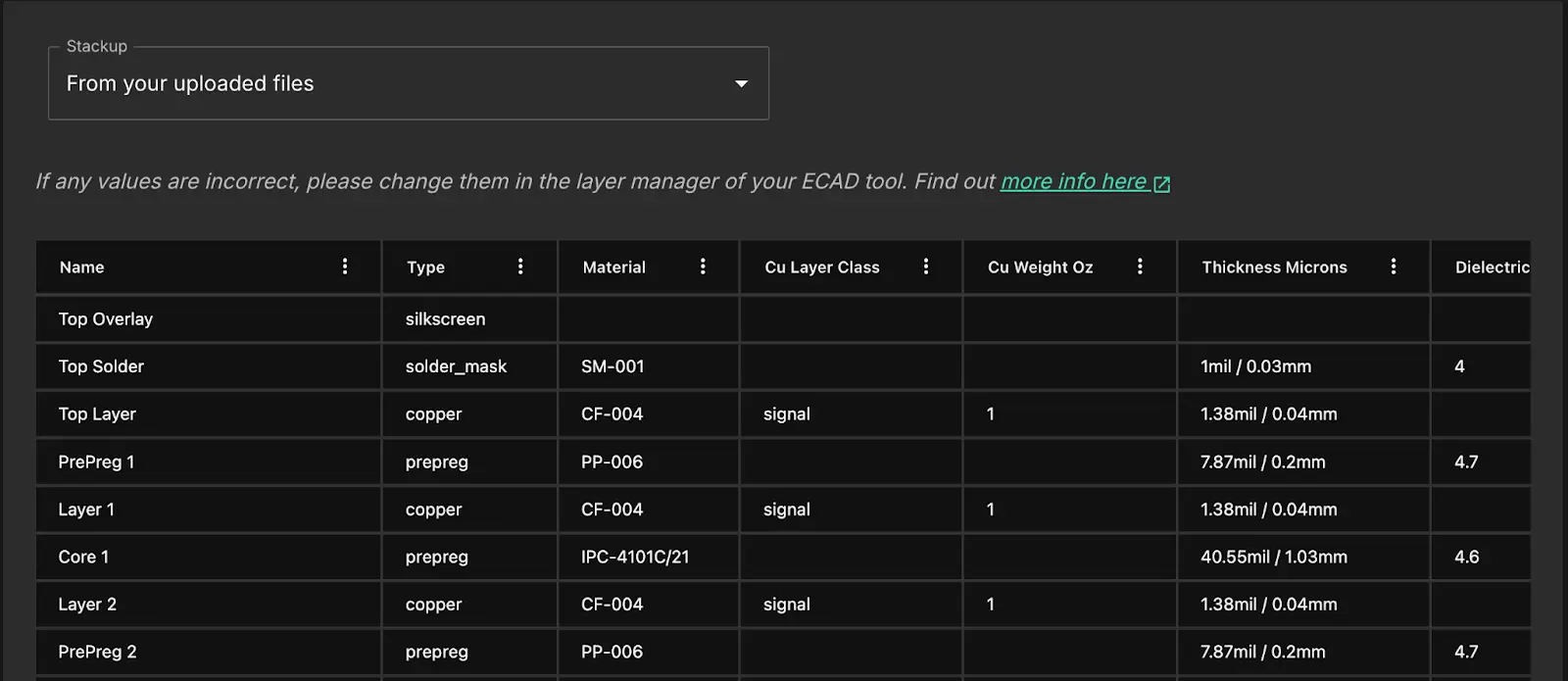
The job setup flow has been restructured from two pages into four, with significantly more detail at each step. The new flow explicitly surfaces your stackup layers, power and ground assignments, and fabricator constraints. It also shows which specific constraints Quilter has calculated from your inputs, like what net width will be used to meet IPC2221 heating requirements on each layer for a high power net with a known current.
The goal: reduce the chance that something gets misconfigured silently. Every parameter that affects routing quality is now visible and editable before you submit.
Single Stackup per Job
Until now Quilter has attempted many stackups and design constraints within each job. This can be useful for exploring possible solutions, but most of the time you know what parameters are required. Including the many stackups made it more awkward to define as single one clearly, and this change supports the improvements listed above in Restructured Setup Flow. Now you’ll have better control and clarity of how Quilter will construct your board.
New Candidate Reviewer!
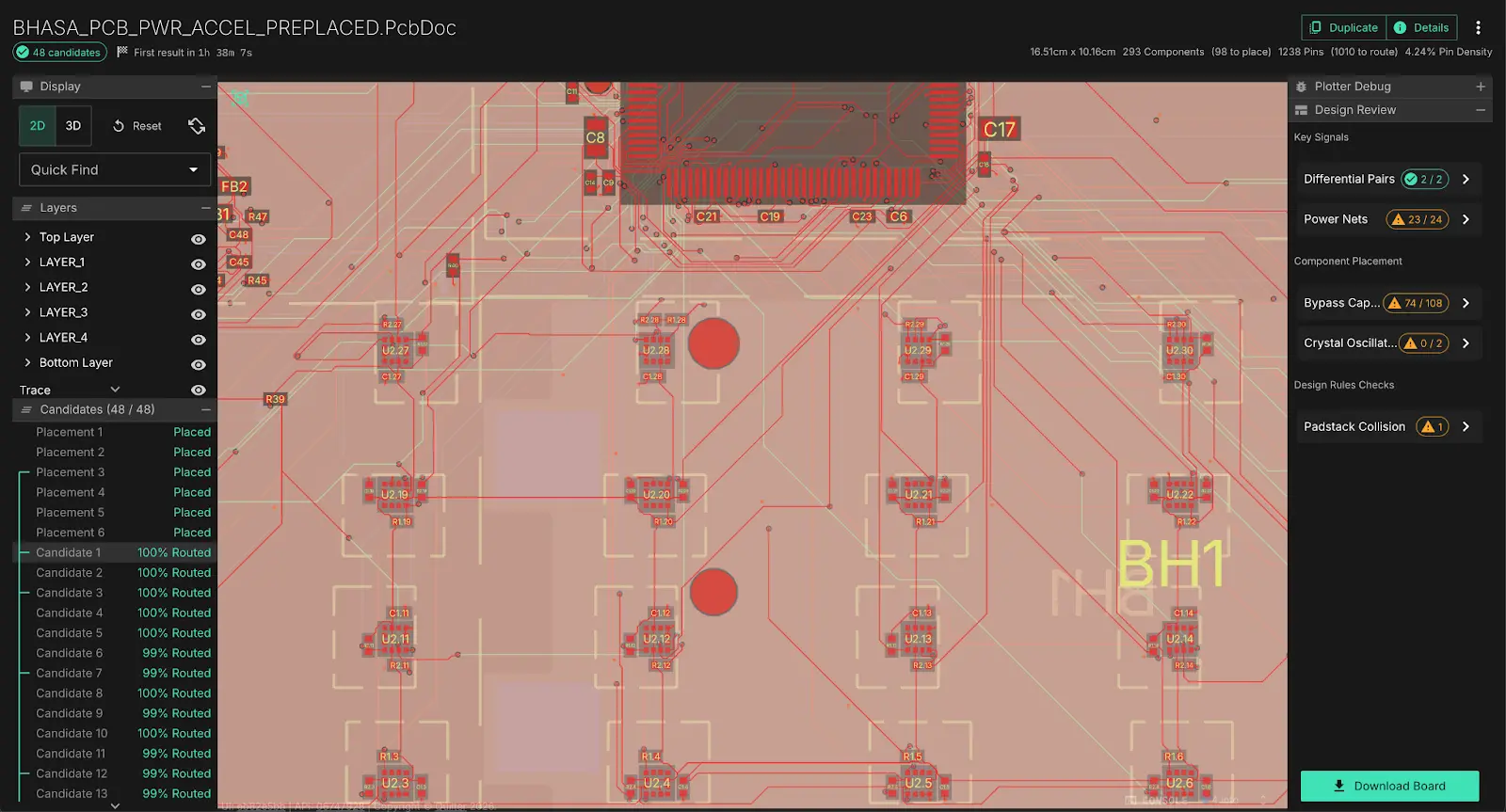
Looking at your routed boards is even easier with the new full screen redesign. The “Detail View” mode has consumed all the panels and become the default, so now it’s easy to see everything at once without switching around. The redesign also works well on large monitors.
December 31, 2025
Shipped
Our theme for 2025 was: User Design Intent.
Specifically: preserving the intent you already expressed in your ECAD tool and carrying it all the way through placement and routing without forcing you to over-configure or babysit the process.
We shipped four pillar updates last year: power pour generation, regions and smart clustering, stackup import, and keepout updates. Together, these changes reduce ambiguity in how the system interprets your board and materially improve routing quality, EMI behavior, and predictability.
Automated power pour generation
Power pours—large copper quilter-filled areas tied to a specific power net — provide a low-impedance path for current, reducing voltage drop and heat, but have historically been a tedious, manual process in traditional CAD tools.
Quilter handles the entire workflow automatically: it detects likely power nets by name, prompts you to select which ones to pour, optimizes component placement to improve pour continuity, generates filled copper regions that respect spacing and keep-out rules, and runs physics rule checks on trace width and current capacity—all as part of standard candidate generation with no extra manual steps.
Regions + Smart Clustering (Placement Intent)
You can now define placement regions directly in your ECAD tool and have them respected on import. Regions act as geometric constraints for placement, collecting components that must stay together, stay local, or stay isolated. Regions can be single-sided or two-sided, which is particularly important for dense designs and mixed-signal boards where vertical separation is just as intentional as horizontal grouping. Quilter has also introduced smart clustering, where components that are directly connected within a schematic are placed close together.
Another new feature is “anchoring”, which allows you to place a single component from a cluster and have all the other components from the cluster snap to it, saving you time in manual placement.
On import, Quilter reads stackup and design requirements directly from your input files. That means: layer order is preserved, dielectric context is known, design rules are reflected in minimum trace width, via size, etc
Keepouts (Mechanical & RF Constraints)
Keepouts are now first-class constraints and support any combination of traces, vias, components, and pours. You can define keepout regions in your ECAD tool to: protect antennas, reserve mechanical space, block routing under sensitive ICs, and respect your component internal areas.
On import, Quilter respects these regions and enforces them during placement and routing.
This is a high-visibility, high-value feature because it prevents entire classes of late-stage failures like EMI problems, RF degradation, and undesirable placement before they start. Behind the scenes, this work lays the foundation for broader design rule ingestion, including full clearance constraint support and stronger DRC checks coming soon.








.webp)